01
Open Celebjihad
Go to the Celebjihad page with the content you want to save and let it load normally in your browser.
Save the video from your open Celebjihad.xxx tab without digging through page source.
Keep your workflow simple. The extension looks at the Celebjihad.xxx tab already open in your desktop browser, so there is no need to leave the page or inspect code. It uses playback-assisted detection after the player loads, surfacing the source or player-provided MP4 when it is present.
When a compatible file is found, you can choose from the available quality options and save the finished video directly through your standard browser download dialog. This keeps everything inside your familiar browsing environment, with no external tools required.
You also get useful filenames and folder organization for your saved clips. The entire process stays focused on one chosen video page, giving you a clear result every time—or a transparent notice if the current page exposes no usable MP4.

Secure checkout. Start downloading in minutes.
Trusted by 40k+ SERP Apps users.
Private downloads. No ads or tracking.
Part of the SERP Apps Extensions Library.
Open the page, let the extension detect what is available, and save the file to your computer.
Go to the Celebjihad page with the content you want to save and let it load normally in your browser.
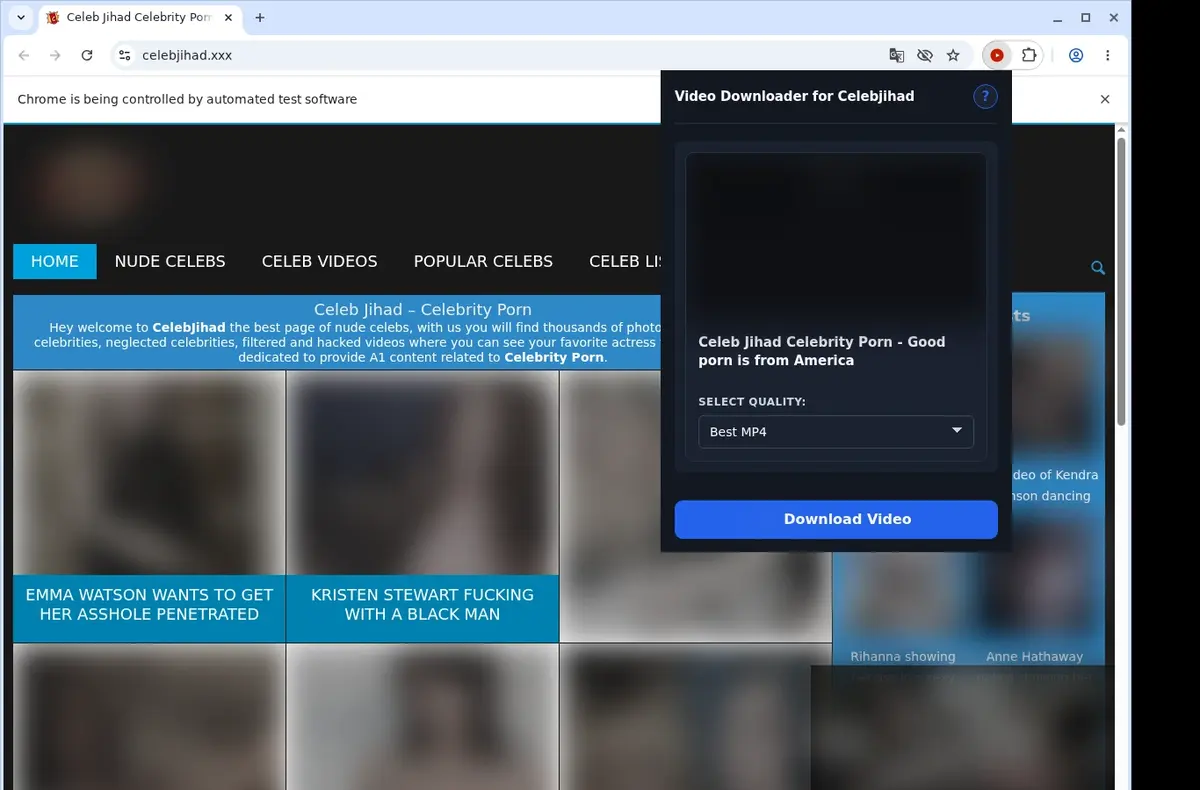
Open the extension so it can find the available video source and show the download option for the current page.

Open the format menu, pick the available file option you want, and save the finished video directly to your device.
Core capabilities included in Celebjihad Downloader.
Grab and keep Celebjihad videos right on your computer.
Press the on-page button while watching to capture the clip.
The extension's toolbar popup provides another way to begin.
Handle one video download at a time for a clear process.
Your browser's normal download system manages the file transfer.
Monitor the download progress in the browser's downloads list.
Downloads land automatically in their own Celebjihad downloads folder.
Handles the site's native MP4 stream without a hitch.
The downloaded file remains an MP4, just as it is on the site.
Play finished MP4s using the media player already on your machine.
Hang onto the video files locally so you can revisit them anytime.
Activity stays focused on the current Celebjihad page and video.
Pick the available MP4 option and save directly without worrying about variable outputs from an external site.
Celebjihad Video Downloader
Offers the MP4 option matching the site's stream
Online Downloader Website
Some web tools provide variable format choices
Celebjihad Video Downloader
Downloads the file as MP4 without conversion claims
Online Downloader Website
Output format can depend on the external site's processing
Celebjihad Video Downloader
One MP4 choice keeps selection simple
Online Downloader Website
Confusing buttons or pop-ups may appear on free tools
Celebjihad Video Downloader
No extra service to navigate for format options
Online Downloader Website
You must return to the downloader site to pick options
Celebjihad Video Downloader
Consistent behavior from within your browser
Online Downloader Website
The online tool's behavior can change over time
Celebjihad Video Downloader
You know the file will be an MP4 from Celebjihad
Online Downloader Website
You may get an unexpected file type or quality
Available on major desktop browsers and operating systems used in day-to-day workflows.
Pick the browser build you need. When a direct GitHub release is available, you can grab the ZIP there.
Open the main product page to get the Chrome build while direct release links are being added.
Firefox support is in progress and will be enabled soon.
Open the main product page to get the Edge build while direct release links are being added.
Open the main product page to get the Opera build while direct release links are being added.
Open the main product page to get the Brave build while direct release links are being added.
Open the main product page to get the Whale build while direct release links are being added.
Open the main product page to get the Yandex build while direct release links are being added.
Install from GitHub releases or your user dashboard. ZIP builds include the full desktop extension.
Better to know the boundaries up front than find out after checkout.
Requires a direct MP4 visible to the active page
Player loading can affect detection
Available quality follows the source file
No restricted-content bypass or bulk collection
Desktop browsers only

Download Whop videos from the lesson or post open in your browser. Find the video, scan the page, save the MP4, and check the result.

Download YouTube videos from the watch page, choose an available quality, and save the completed file to your computer.

Download an entire Skool course in order with numbered folders, a lesson checklist, and verified MP4 files.
Keep exploring
Browse every category we support and jump directly into the tools that match your workflow.
23 categories are currently available.
Immediate Access
Product access begins after a successful checkout
Setup Guidance
Installation steps are provided for the supported package
Billing Shown Upfront
Review the selected billing interval before checkout
Check the exact video page you are viewing
Avoid searching through page source for a direct file
Keep a compatible save in your normal browser flow
See a clear result when the current page exposes no usable MP4