01
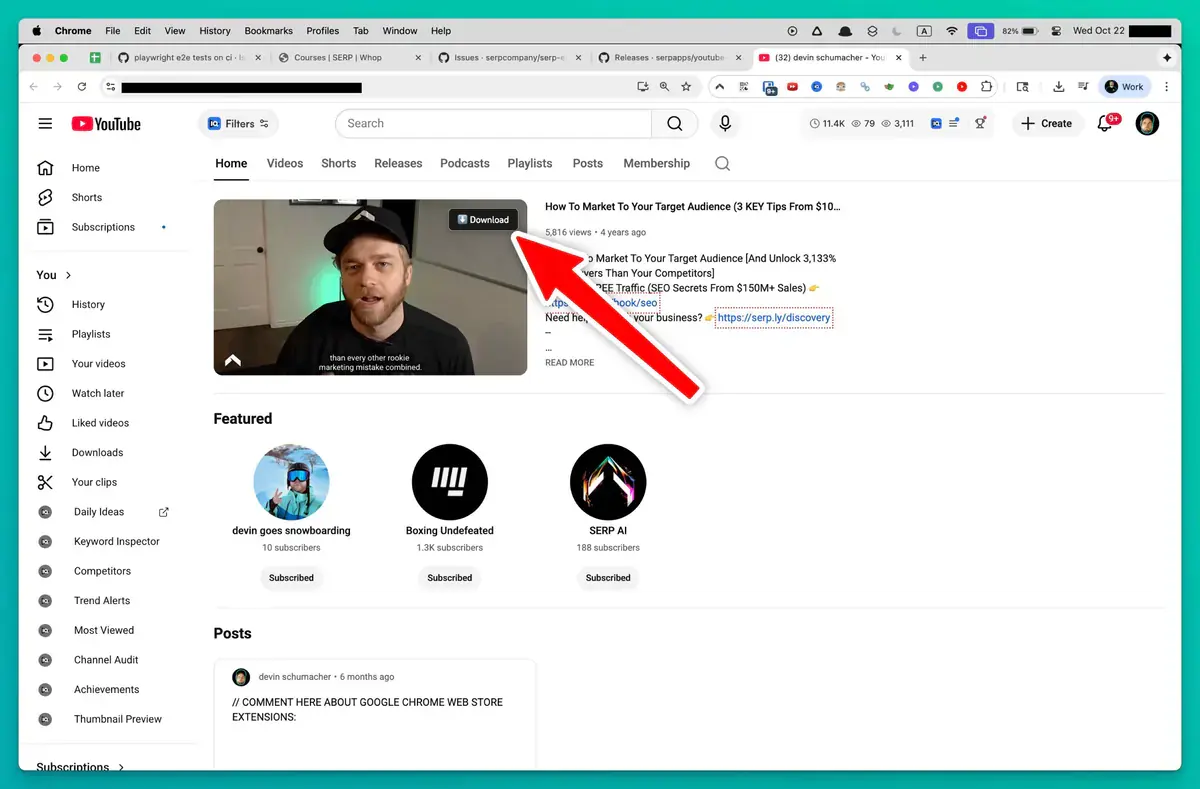
Open Youtube
Go to the Youtube page with the content you want to save and let it load normally in your browser.
Download YouTube videos entirely on your device with no telemetry—your viewing and download activity stays completely private.
Your activity is yours alone. The extension performs all decryption and merging directly in your browser, never sending data to external servers. No telemetry, no logs, no tracking—just pure local processing.
Whether you're saving Shorts, playlists, or unlisted review links, you can do so knowing your privacy is intact. There are no sign-ups or accounts, and everything stays on your machine.
Keep your personal viewing habits private while building an offline collection. The tool respects your session’s access, so unlisted and age-restricted videos you can watch are downloadable without extra steps.

Secure checkout. Start downloading in minutes.
Trusted by 40k+ SERP Apps users.
Private downloads. No ads or tracking.
Part of the SERP Apps Extensions Library.
Open the page, let the extension detect what is available, and save the file to your computer.
Go to the Youtube page with the content you want to save and let it load normally in your browser.
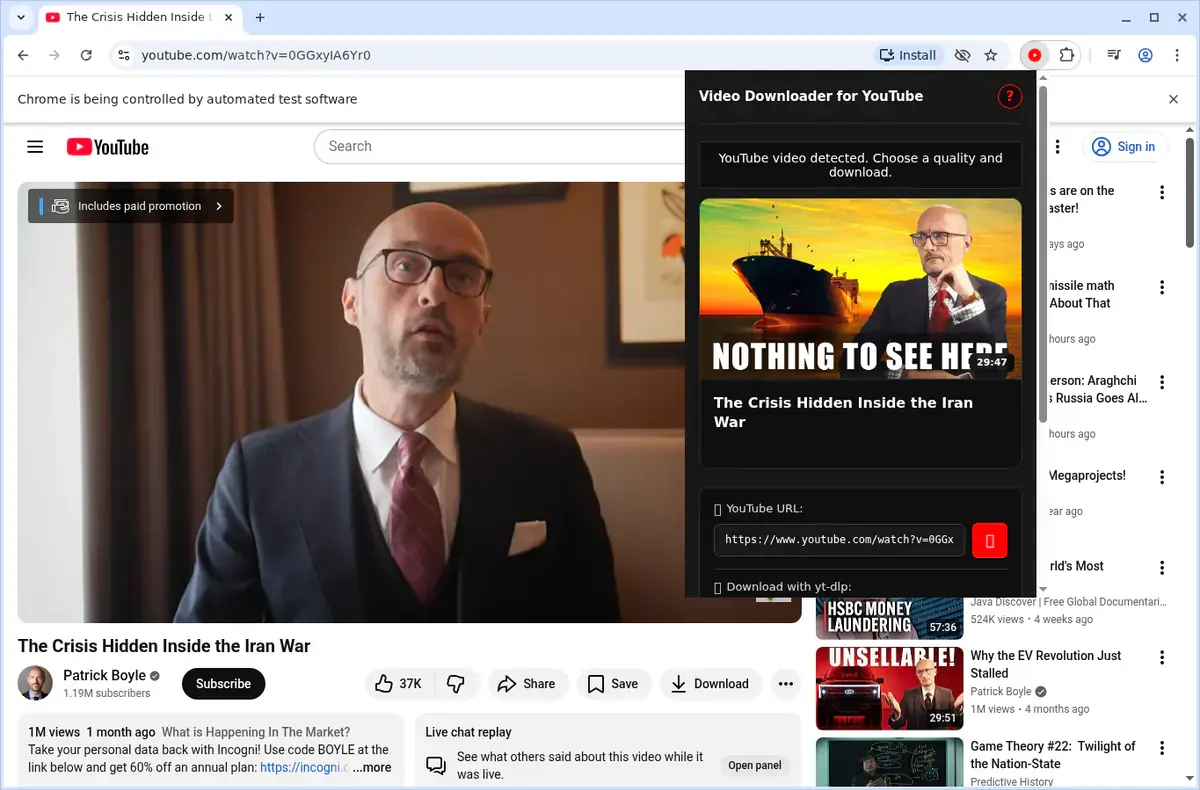
Open the extension so it can find the available content source and show the save options for the current page.
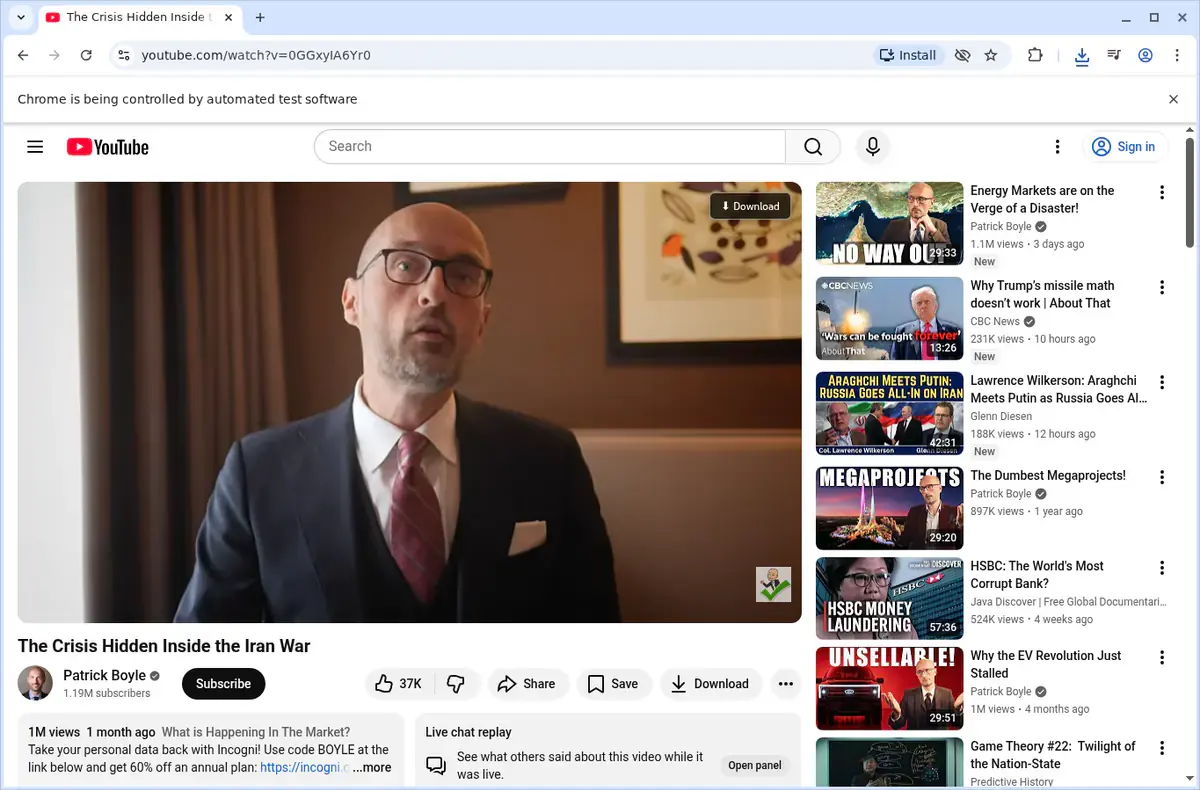
Choose the available quality or file option and save the finished file directly to your device.
Short, practical feedback from people using YouTube Video Downloader in real workflows.
We archive client livestreams and Shorts. This is the only tool that keeps up with YouTube's encryption changes and still hands back clean MP4 files.
Caleb Whitford
2025-02-19
The quality list and file-size estimates mean no surprises, and the three-download queue lets me prep assets for edits in one sitting.
Natasha Yuen
2025-03-07
Embedded videos on partner portals used to be a pain. This extension detects them instantly and finishes the background conversion while we keep browsing.
Simon Greaves
2025-01-31
These comments and ratings were collected during our July 2026 customer survey and reviewed against support records before publication.
Core capabilities included in YouTube Video Downloader.
Grab videos from YouTube directly while you watch them.
When a YouTube clip is playing, the download option appears on that page.
The toolbar popup offers another convenient way to start a download.
It detects the YouTube recording that is open in your current tab.
Files are delivered through your browser’s built-in download manager.
Watch the download progress inside the browser’s download list.
Videos land in a folder marked for YouTube saves.
It taps into the video stream that the YouTube site provides.
A finished fetch becomes a local video file on your machine.
Launch completed files straight from the browser’s downloads folder.
Retain the videos on your device so you can view them later.
Keep your attention on the YouTube page and the active video.
Available on major desktop browsers and operating systems used in day-to-day workflows.
Pick the browser build you need. When a direct GitHub release is available, you can grab the ZIP there.
Open the latest GitHub release to download the Chrome build.
Firefox support is in progress and will be enabled soon.
Open the latest GitHub release to download the Edge build.
Open the latest GitHub release to download the Opera build.
Open the latest GitHub release to download the Brave build.
Open the latest GitHub release to download the Whale build.
Open the latest GitHub release to download the Yandex build.
Install from GitHub releases or your user dashboard. ZIP builds include the full desktop extension.
Every requested permission and the job it performs inside the extension.
Writes the merged MP4 or WebM files directly to your downloads folder and tracks progress for simultaneous jobs.
Saves licence activation, preferred quality settings, and queue history locally so everything persists between browser sessions.
Injects the downloader UI into the YouTube page you're viewing, including Shorts feeds and embedded players.
Monitors when you switch videos or open new players so the extension can refresh available quality options automatically.
Reads player configuration data to decrypt stream URLs, fetch manifests, and merge DASH or HLS segments into a final MP4.
Sends completion, error, and licence prompts without forcing you to keep the popup open during longer conversions.
Adds a "Download with YouTube Downloader" option when you right-click embedded videos for quicker access.
Limits privileged access to youtube.com, youtu.be, and YouTube CDN domains required to capture and decrypt the streams.
Better to know the boundaries up front than find out after checkout.
DRM-protected YouTube purchases (movies, TV episodes) cannot be downloaded.
Active livestreams must finish broadcasting and have a replay available before download.
Available quality depends on the original upload resolution and YouTube's encoding options.
DASH stream merging requires the original tab to remain open until the MP4 is finalized.
YouTube frequently rotates cipher algorithms, so keeping the extension updated is important.
Firefox support depends on Manifest V3 compatibility in the current browser build.
Safari and mobile browsers are not supported.
YouTube Music premium-only audio streams are not accessible.

Download YouTube videos from the watch page, choose an available quality, and save the completed file to your computer.
Download YouTube videos with yt-dlp, use predictable filenames, limit quality, update the tool, and troubleshoot errors.
Keep exploring
Browse every category we support and jump directly into the tools that match your workflow.
23 categories are currently available.
Immediate Access
Product access begins after a successful checkout
Setup Guidance
Installation steps are provided for the supported package
Billing Shown Upfront
Review the selected billing interval before checkout
Archive Shorts, playlists, embedded players, and unlisted review links in their original quality without screen-recording workarounds.
Get ready-to-edit MP4 files by automatically merging YouTube's split adaptive audio and video streams.
Keep your viewing and download activity completely private with on-device decryption, local processing, and no telemetry.
Save hours on batch workflows with playlist queuing, background processing, and one-click yt-dlp command generation.