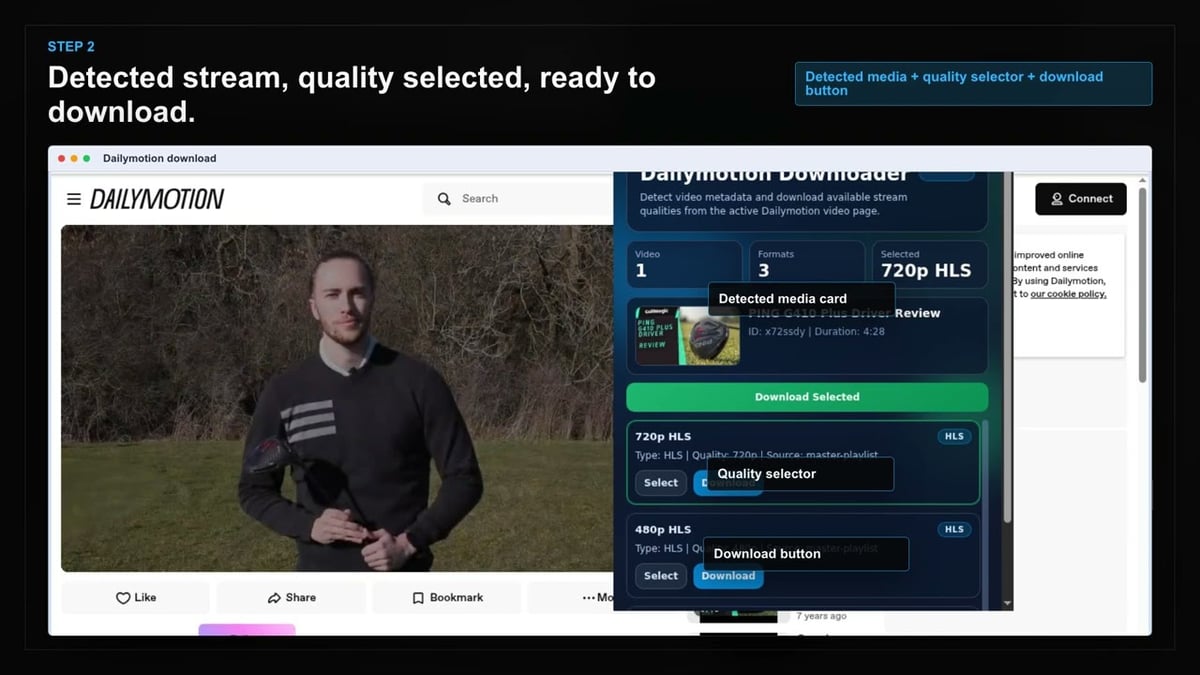
01
Open Dailymotion
Go to the Dailymotion page with the content you want to save and let it load normally in your browser.
Save Dailymotion videos for offline viewing anytime, without relying on screen recording or copy-paste tools.
Stop struggling with unreliable screen recorders or manual copy-and-paste methods. Our Dailymotion Video Downloader detects compatible media as soon as the video page loads, presenting you with clear save options.
You can pick the exact resolution Dailymotion exposes, not a random default. Downloads are saved as standard MP4 files with recognizable names, so you always know where to find them.
Everything stays private—processing happens right on your own device. Whether you're archiving reference clips or building an offline library, your workflow remains simple and secure.

Secure checkout. Start downloading in minutes.
Trusted by 40k+ SERP Apps users.
Private downloads. No ads or tracking.
Part of the SERP Apps Extensions Library.
Open the page, let the extension detect what is available, and save the file to your computer.
Go to the Dailymotion page with the content you want to save and let it load normally in your browser.
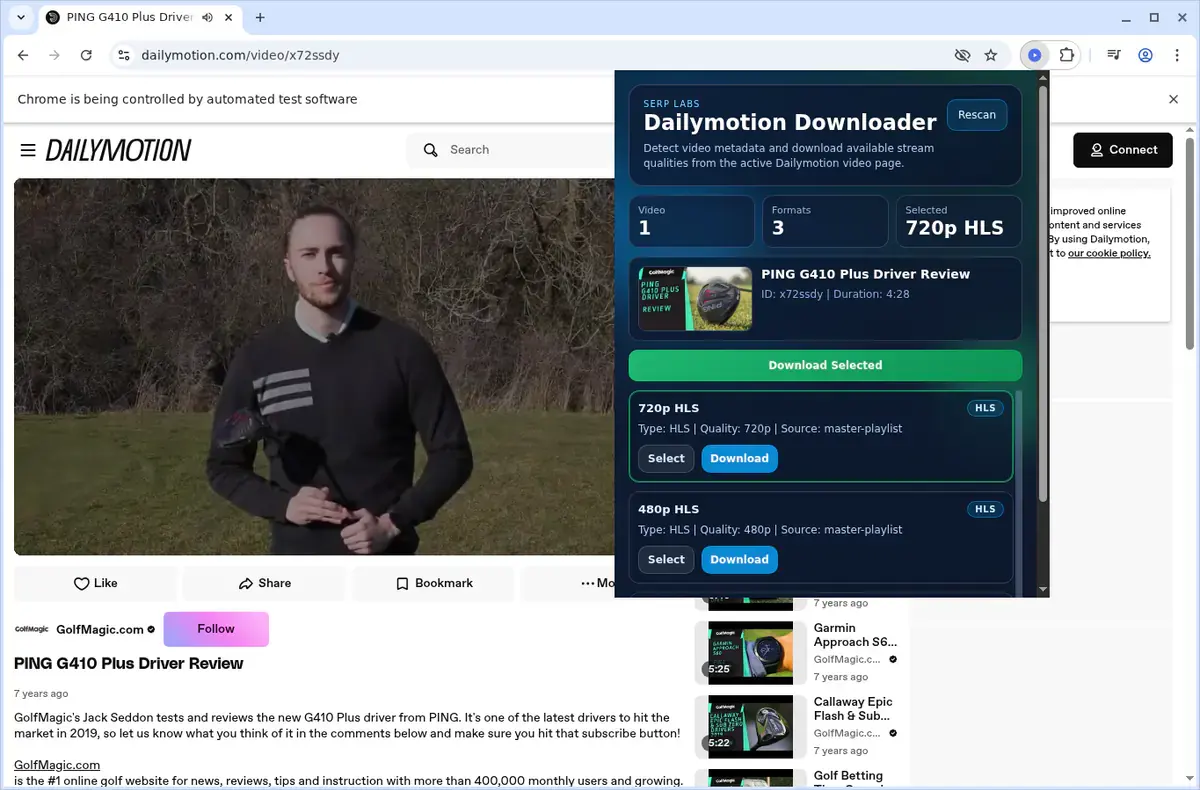
Open the extension so it can find the available content source and show the save options for the current page.
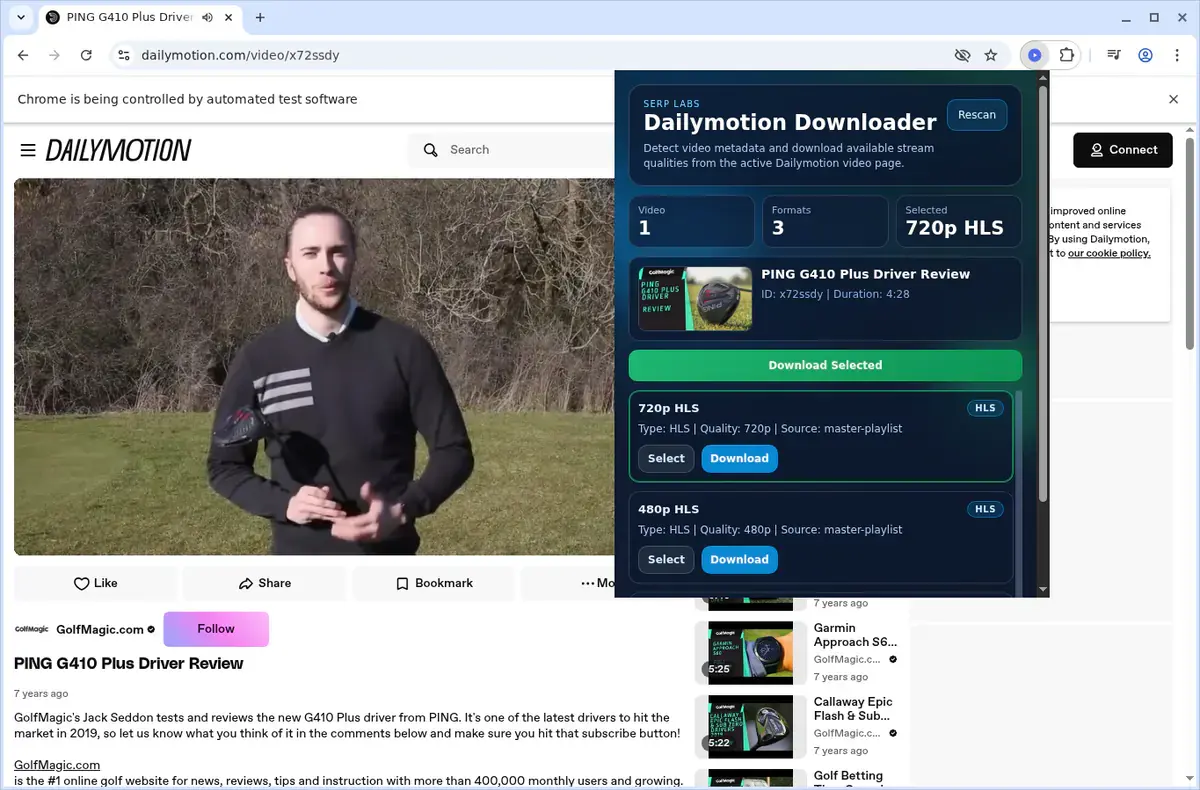
Choose the available quality or file option and save the finished file directly to your device.
Short, practical feedback from people using Dailymotion Video Downloader in real workflows.
I archive Dailymotion tutorials for offline training and the format picker lets me grab the 1080p option when available instead of ending up with a random 360p file.
Carlos Rivera
2025-02-18
The HLS stitching works cleanly on longer Dailymotion videos. extension button makes the whole process feel native to the browser.
Sophie Andersen
2025-01-25
No uploads to third-party sites, no shady web tools. Everything stays on my machine and the Dailymotion folder keeps things tidy.
Tomasz Kowalski
2025-03-04
These comments and ratings were collected during our July 2026 customer survey and reviewed against support records before publication.
Core capabilities included in Dailymotion Video Downloader.
Save videos from Dailymotion directly to your local storage for offline viewing anytime.
The downloader becomes available right on the Dailymotion page while a video plays.
You can also open the extension popup from the browser toolbar to start a download.
It automatically targets the video that is currently open in your active browser tab.
Downloads are handled through your browser’s built-in download manager for simplicity.
Keep an eye on download progress in the browser’s familiar download list panel.
Completed files are placed into a dedicated Dailymotion folder for easy organization.
The tool works with the video source provided by the site without technical jargon.
Your finished download is stored as a local video file ready for immediate playback.
Open saved videos straight from your browser’s downloads folder whenever you need them.
Keep your favorite Dailymotion videos on your device so you can watch them later.
The experience stays centered on your current Dailymotion page and the video you’re watching.
Available on major desktop browsers and operating systems used in day-to-day workflows.
Pick the browser build you need. When a direct GitHub release is available, you can grab the ZIP there.
Open the latest GitHub release to download the Chrome build.
Firefox support is in progress and will be enabled soon.
Open the latest GitHub release to download the Edge build.
Open the latest GitHub release to download the Opera build.
Open the latest GitHub release to download the Brave build.
Open the latest GitHub release to download the Whale build.
Open the latest GitHub release to download the Yandex build.
Install from GitHub releases or your user dashboard. ZIP builds include the full desktop extension.
Every requested permission and the job it performs inside the extension.
Writes finished MP4 files to your device and keeps browser download state aligned with the extension UI.
Limits scanning to the Dailymotion tab you are actively viewing.
Stores activation state, trial counters, selected quality preferences, and local settings between sessions.
Keeps popup state and download progress aligned with the correct Dailymotion tab.
Reads the current page URL and metadata needed to identify the Dailymotion video and build the format list.
Handles HLS playlist processing and MP4 assembly in a hidden context so the visible page stays responsive.
Shows completion and error alerts so you do not need to keep the popup open during downloads.
Adds the "Download Dailymotion video" right-click shortcut on supported page URLs.
Allows access to Dailymotion pages, dmcdn hosts, auth.serp.co, api.github.com, and the media endpoints needed for format detection and downloading.
Better to know the boundaries up front than find out after checkout.
The extension is designed for Dailymotion `/video/` pages.
Dailymotion live streams are not supported.
Downloads run one at a time.
Safari and mobile browsers are not supported.
Available quality depends on what the source video exposes.
You must already have permission to access and download the content.
Email OTP sign-in is required to activate the free trial.
Keep exploring
Browse every category we support and jump directly into the tools that match your workflow.
23 categories are currently available.
Immediate Access
Product access begins after a successful checkout
Setup Guidance
Installation steps are provided for the supported package
Billing Shown Upfront
Review the selected billing interval before checkout
Save Dailymotion videos for offline viewing without screen recording or browser-based copy-and-paste tools.
Pick the actual quality Dailymotion exposes instead of downloading a random default rendition.
keep downloads easy to find in one folder so reference clips and archives are easier to manage.
Keep the workflow private because processing stays on your own device.