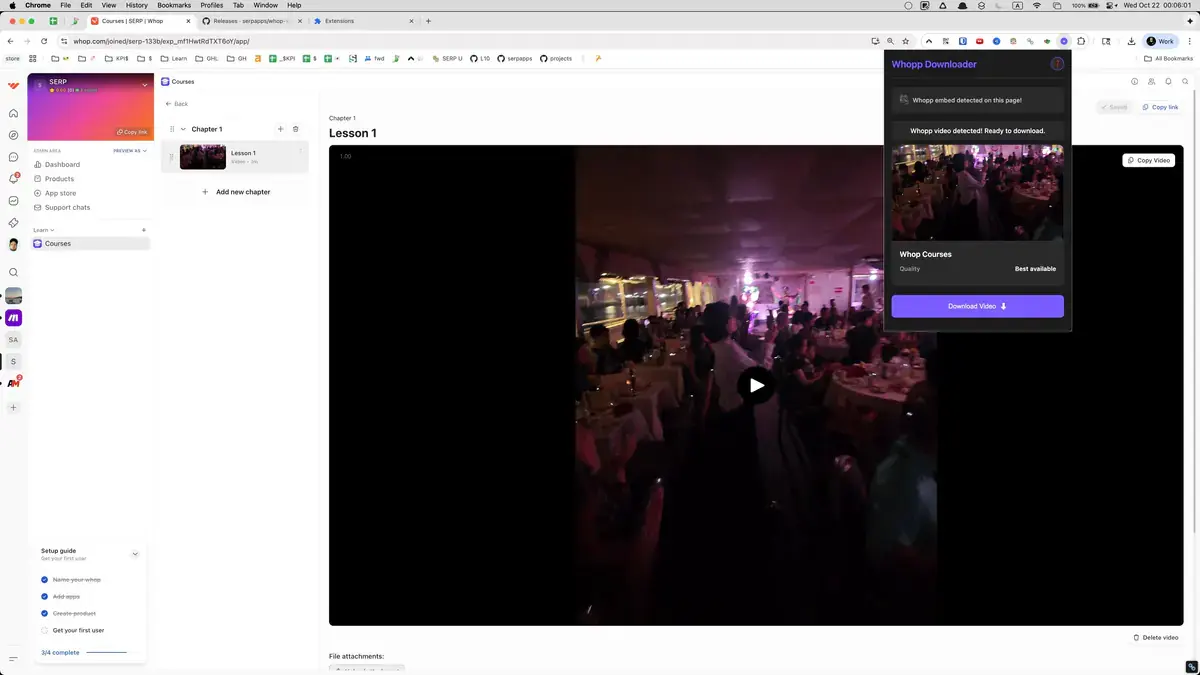
01
Open Whop
Go to the Whop page with the content you want to save and let it load normally in your browser.
Save Whop course videos as MP4 files and watch them offline—perfect for travel, commutes, or focused study sessions.
Your Whop courses don't have to be tied to an internet connection. Whop Downloader detects video players inside products, member areas, and course modules, then converts Mux HLS streams into MP4 files. You get a clean, play-anywhere copy saved through your browser's normal download flow.
Whether you're on a plane, in a remote location, or just want to eliminate buffering, having local files means uninterrupted learning. The extension places controls right on the player and in a popup, automatically picking the highest-quality rendition available. A clear progress display shows segment count and percentage so you always know where things stand.
Once saved, you can organize your videos alongside notes and project materials—no need to log in just to revisit a key concept. The workflow respects your current account access: open Whop, let the extension detect the content, and save directly to your computer. It's a practical way to keep learning when connectivity isn't guaranteed.

Secure checkout. Start downloading in minutes.
Trusted by 40k+ SERP Apps users.
Private downloads. No ads or tracking.
Part of the SERP Apps Extensions Library.
Open the page, let the extension detect what is available, and save the file to your computer.
Go to the Whop page with the content you want to save and let it load normally in your browser.
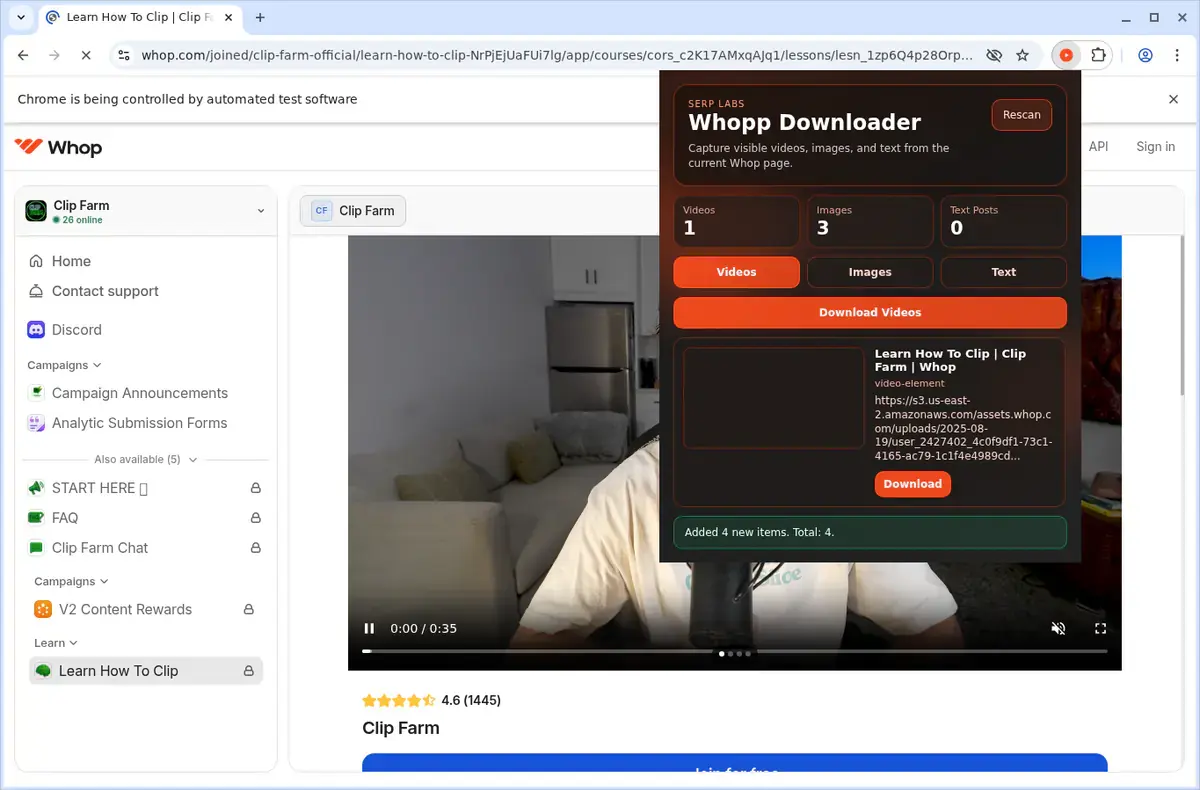
Open the extension so it can find the available content source and show the save options for the current page.
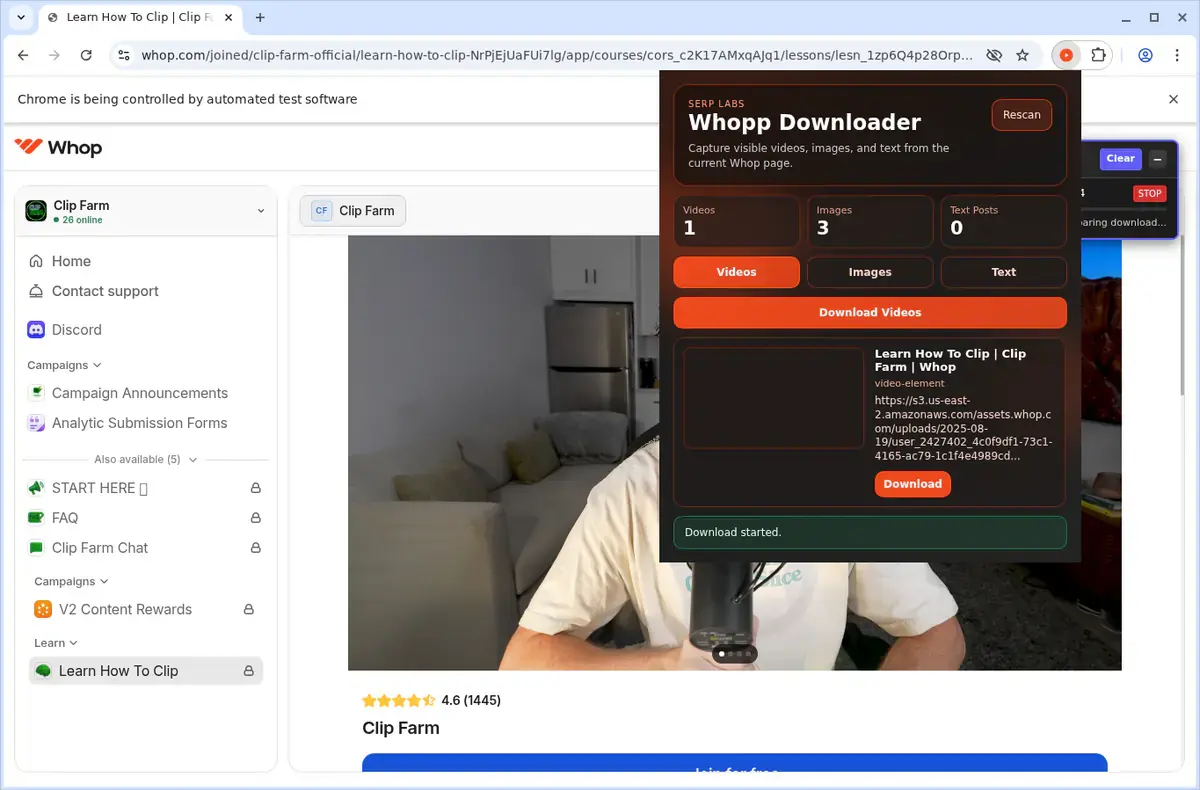
Choose the available quality or file option and save the finished file directly to your device.



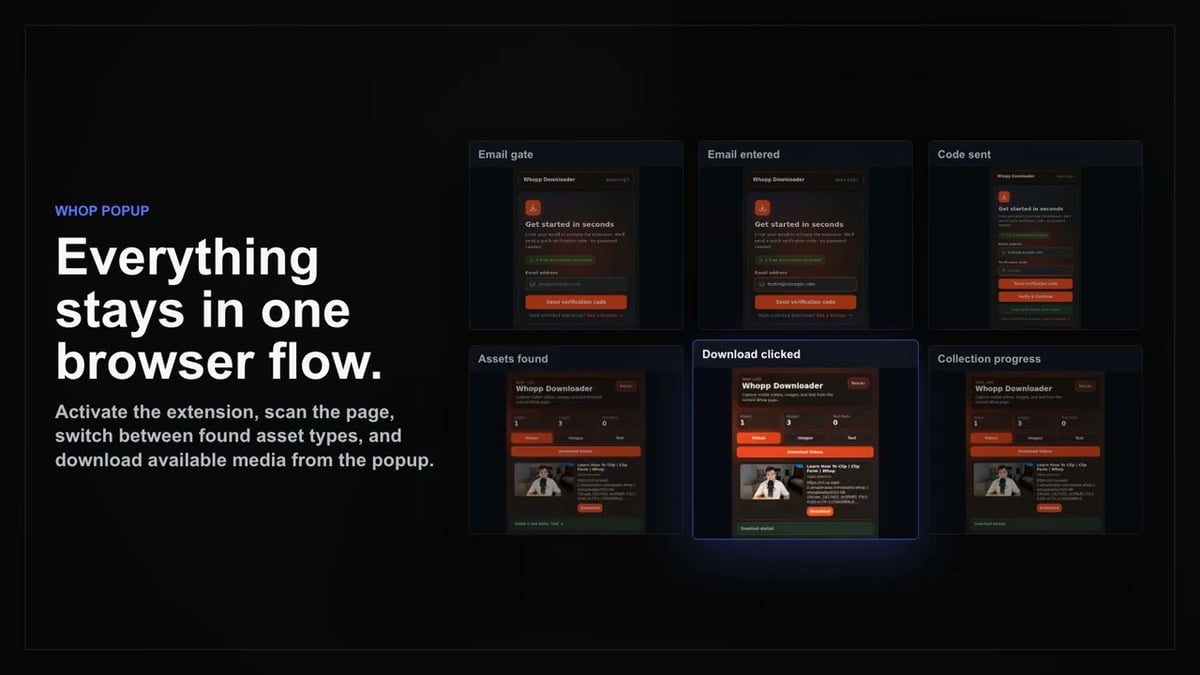
Short, practical feedback from people using Whop Downloader in real workflows.
I click the overlay button and the MP4 is done before the drop disappears. Perfect for travel study.
Isla Garner
2025-02-22
Other tools choke on Whop’s player. This merges the segments cleanly and the progress bar keeps me in the loop.
Omari Flynn
2025-03-01
Uses my existing Whop session, no cookie exports needed. Downloads stay private on my laptop.
Tessa Li
2025-01-29
These comments and ratings were collected during our July 2026 customer survey and reviewed against support records before publication.
Core capabilities included in Whop Downloader.
Download videos from Whop while you watch them.
Access the downloader directly on the video page you are viewing.
Use the extension toolbar popup as an alternative way to reach the downloader.
Keep the downloader focused on the video currently open in your browser.
Rely on the browser’s built-in download system for a familiar experience.
Monitor your download’s progress right in the browser’s download list.
Save completed files into a dedicated Whop folder for easy organization.
Works with the video source that Whop uses, without needing to know the technical format.
Saves your download as a local video file, ready to play without format details.
Open finished downloads directly from your browser’s downloads folder.
Keep the downloaded videos on your device to watch later, offline.
Stay focused on the current Whop page and the current video you are watching.
Save videos where you watch them, without copying and pasting the page address elsewhere.
Whop Downloader on the Whop page
Detects the video source directly on the open Whop page.
Pasting the Whop page link into a separate online tool
You must copy and submit the page link to another website.
Whop Downloader on the Whop page
Stays focused on the video you are watching.
Pasting the Whop page link into a separate online tool
Leaving the page can lose player context or session state.
Whop Downloader on the Whop page
Access the downloader while the video plays.
Pasting the Whop page link into a separate online tool
You depend on the online tool's input page to proceed.
Whop Downloader on the Whop page
Downloads use the browser's own download system.
Pasting the Whop page link into a separate online tool
Results depend on the external site's handling and availability.
Whop Downloader on the Whop page
Saves files into a dedicated Whop folder.
Pasting the Whop page link into a separate online tool
Filenames may be generic or set by the web tool.
Whop Downloader on the Whop page
Progress shows in the browser's download list.
Pasting the Whop page link into a separate online tool
You may need to check the separate site for status.
Available on major desktop browsers and operating systems used in day-to-day workflows.
Pick the browser build you need. When a direct GitHub release is available, you can grab the ZIP there.
Open the latest GitHub release to download the Chrome build.
Open the latest GitHub release to download the Edge build.
Open the latest GitHub release to download the Opera build.
Open the latest GitHub release to download the Brave build.
Open the latest GitHub release to download the Whale build.
Open the latest GitHub release to download the Yandex build.
Install from GitHub releases or your user dashboard. ZIP builds include the full desktop extension.
Every requested permission and the job it performs inside the extension.
Saves the merged MP4 into your downloads folder and keeps the progress display accurate during conversion.
Stores licence activation and extension preferences locally so the downloader stays configured between sessions.
Detects Whop video players on the current tab and injects the download overlay button in the correct place.
Allows downloads to continue if you navigate between course pages and restores the status panel when you return.
Reads Whop’s player configuration, Mux manifests, and authentication headers to fetch the correct stream segments.
Sends completion or error alerts so you know when a video finishes downloading without watching the popup.
Adds a right-click “Download with Whop Video Downloader” option for quick saves from embedded players.
Merges Mux segments into MP4 files in the background, preventing the active tab from freezing during long downloads.
Limits privileged access to whop.com and Whop’s video CDN hosts so the extension only touches pages required for downloads.
Better to know the boundaries up front than find out after checkout.
A valid Whop session and current access to the video are required
The Whop tab must stay open while authenticated HLS segments are retrieved
The selected quality is the highest-resolution rendition supplied by the Whop player
The downloader saves video and audio only; attachments must be downloaded separately
Expired, removed, or inaccessible videos cannot be converted
Safari and mobile browsers are not supported
Keep exploring
Browse every category we support and jump directly into the tools that match your workflow.
23 categories are currently available.
Immediate Access
Product access begins after a successful checkout
Setup Guidance
Installation steps are provided for the supported package
Billing Shown Upfront
Review the selected billing interval before checkout
Create personal offline study copies of eligible Whop lessons while you have access
Review course material during travel, poor connectivity, or focused work sessions
Save time by starting downloads from the player instead of handling stream links manually
Keep training videos organized as MP4 files alongside your notes and project materials
Use a workflow that respects current account access and creator permissions
