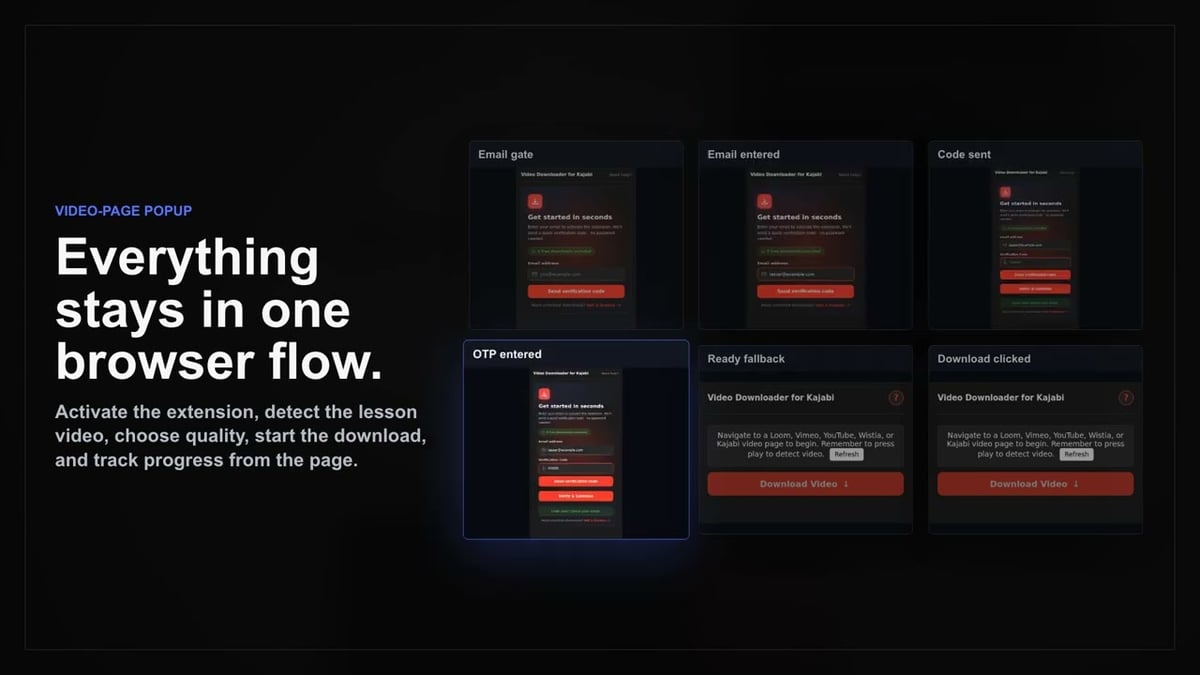
01
Open Kajabi
Go to the Kajabi page with the content you want to save and let it load normally in your browser.
Download Kajabi lessons regardless of the embedded player—Loom, Vimeo, YouTube, or Wistia—all with one tool.
Creators often embed videos from different platforms inside Kajabi lessons, forcing you to juggle multiple download tools. Kajabi Video Downloader eliminates that hassle by supporting Loom, Vimeo, YouTube, and Wistia players right where they appear.
After the lesson player finishes loading, the extension automatically detects the available media and presents the quality options supplied by the underlying provider. You can convert streamed lessons into standard MP4 files when no direct download is offered.
Keep your workflow simple: open the extension, pick your preferred quality, and save the video. It's the unified download solution for every Kajabi course you access.

Secure checkout. Start downloading in minutes.
Trusted by 40k+ SERP Apps users.
Private downloads. No ads or tracking.
Part of the SERP Apps Extensions Library.
Open the page, let the extension detect what is available, and save the file to your computer.
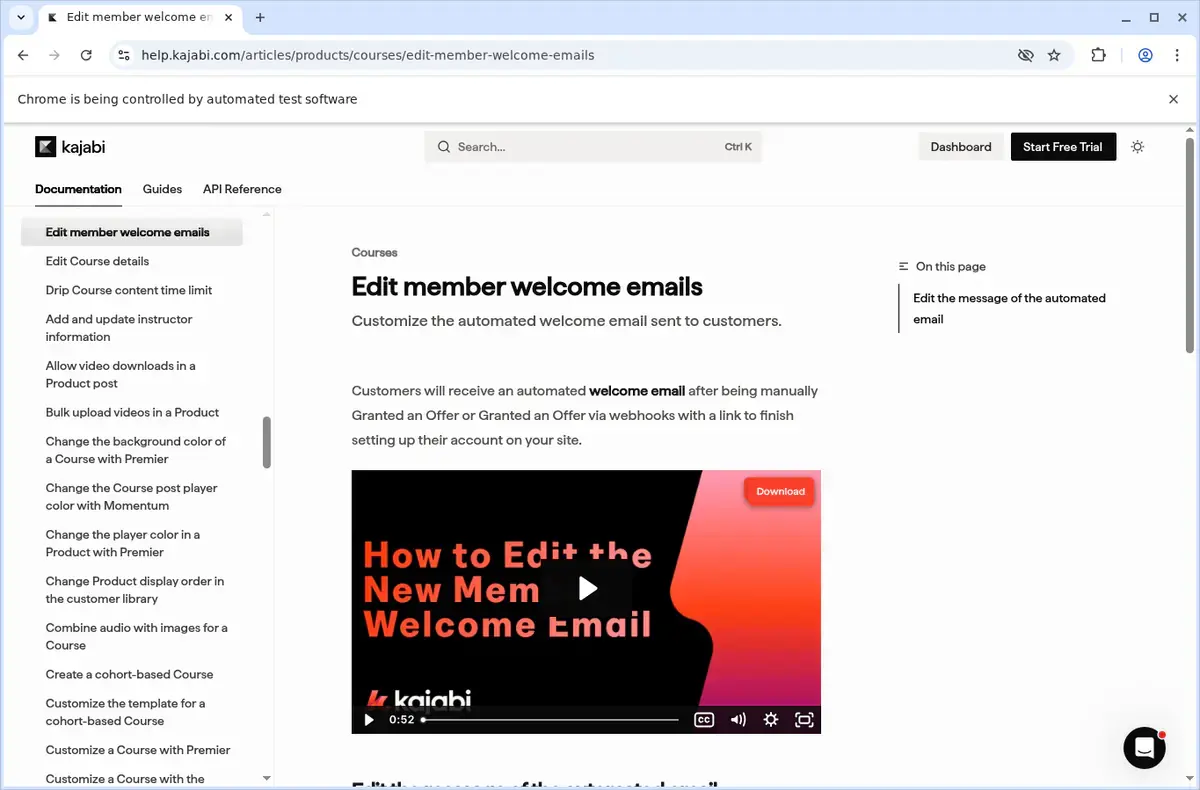
Go to the Kajabi page with the content you want to save and let it load normally in your browser.
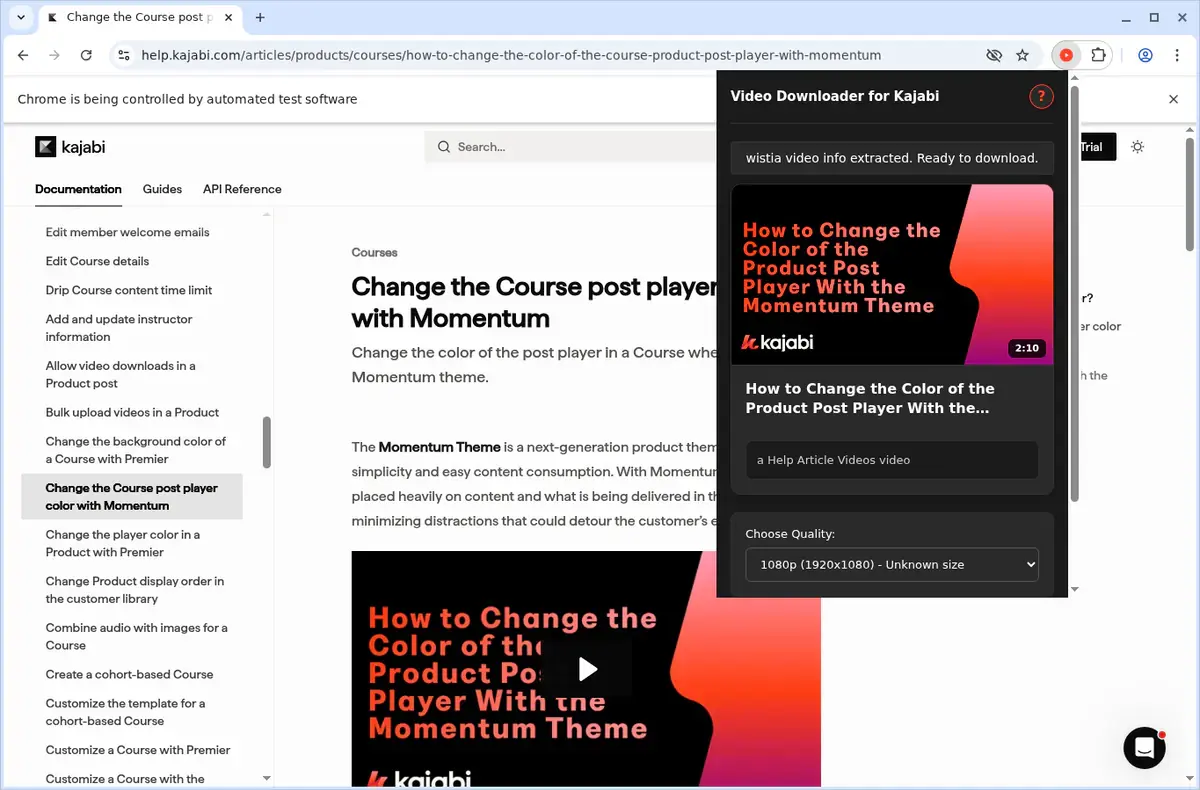
Open the extension so it can find the available content source and show the save options for the current page.
Choose the available quality or file option and save the finished file directly to your device.
Short, practical feedback from people using Kajabi Video Downloader in real workflows.
I use Kajabi for several paid courses and this extension gives me a consistent way to save the lessons even when one creator uses Vimeo and another uses Loom.
Sienna Crawford
2025-02-21
The manager keeps a few downloads moving without getting in the way, and the provider detection is much more accurate than generic tools.
Malik Thorne
2025-03-03
I mainly wanted a practical offline-study workflow for Kajabi and this does that well. Press play, choose quality, save the MP4.
Elise Werner
2025-01-29
These comments and ratings were collected during our July 2026 customer survey and reviewed against support records before publication.
Core capabilities included in Kajabi Video Downloader.
Take your Kajabi videos offline for keeping on your own computer.
Activate the downloader while you are watching a video on Kajabi.
Use the extension toolbar popup as an alternative way to start downloads.
Targets the video that is currently open in the browser.
Rely on the browser's standard download mechanism to save files.
Monitor progress right in the browser's built-in download list.
Organize saved files into a dedicated Kajabi folder automatically.
Works with the video source used by the site, without naming technical formats.
Delivers a completed download as a local video file, format unspecified.
Your downloads end up right in the browser’s usual downloads folder.
Stash the videos you grab so they stay handy for future watch sessions.
Stay focused on the current Kajabi page and the active video.
Keep track of your Kajabi video saves right where you normally manage downloads.
Kajabi Video Downloader
Uses your browser’s standard download mechanism
Online Downloader Website
May depend on the site’s own download interface
Kajabi Video Downloader
Progress appears in the browser’s built-in download list
Online Downloader Website
Progress may rely on the external site’s availability
Kajabi Video Downloader
No need to leave the Kajabi video page
Online Downloader Website
Requires copying the page link and visiting another site
Kajabi Video Downloader
Saves completed files as local video files
Online Downloader Website
Results may appear on a service-specific results page
Kajabi Video Downloader
Files go to a dedicated Kajabi folder automatically
Online Downloader Website
Filenames and organization may vary by site
Kajabi Video Downloader
Opens from the browser’s downloads area after completion
Online Downloader Website
May require extra steps to retrieve the final file
Available on major desktop browsers and operating systems used in day-to-day workflows.
Pick the browser build you need. When a direct GitHub release is available, you can grab the ZIP there.
Open the latest GitHub release to download the Chrome build.
Firefox support is in progress and will be enabled soon.
Open the latest GitHub release to download the Edge build.
Open the latest GitHub release to download the Opera build.
Open the latest GitHub release to download the Brave build.
Open the latest GitHub release to download the Whale build.
Open the latest GitHub release to download the Yandex build.
Install from GitHub releases or your user dashboard. ZIP builds include the full desktop extension.
Every requested permission and the job it performs inside the extension.
Saves finished MP4 files and keeps the download manager aligned with active jobs.
Stores activation state, trial counters, selected formats, and queue state locally between sessions.
Detects the current Kajabi lesson page and reads the visible embedded player only on the active tab.
Maintains active downloads while you move between lessons or return to the page later.
Reads embedded player metadata so each Kajabi lesson can be handed to the correct provider-specific handler.
Processes supported HLS-based downloads in a hidden context so the active lesson page stays responsive.
Uses your current authenticated Kajabi session to access content you are already permitted to view.
Applies request rules needed for supported providers such as YouTube and other embedded hosts so media requests succeed.
Allows access to Kajabi, mykajabi, custom lesson domains, supported embed providers, auth.serp.co, and api.github.com for downloads, activation, and updates.
Better to know the boundaries up front than find out after checkout.
You must press play before some embedded providers expose their stream data.
The current product is designed for lesson-by-lesson downloads, not full-course bulk export.
Captions, transcripts, and attachments are not part of the download flow.
Available quality depends on the underlying provider.
Safari and mobile browsers are not supported.
There is no context-menu download action.
System desktop notifications are not part of this product.
Email OTP sign-in is required to activate the free trial.
Keep exploring
Browse every category we support and jump directly into the tools that match your workflow.
23 categories are currently available.
Immediate Access
Product access begins after a successful checkout
Setup Guidance
Installation steps are provided for the supported package
Billing Shown Upfront
Review the selected billing interval before checkout
Save Kajabi lesson videos for travel, offline review, or personal study without relying on live streaming.
Use one extension across the mix of embedded hosts commonly found inside Kajabi courses.
Keep a private local archive of videos you already have permission to access.
Avoid switching between multiple download tools every time a creator uses a different video provider.