01
Open GoKollab
Go to the GoKollab page with the content you want to save and let it load normally in your browser.
Save entire GoKollab lessons—videos, images, GIFs, and text—in one seamless download.
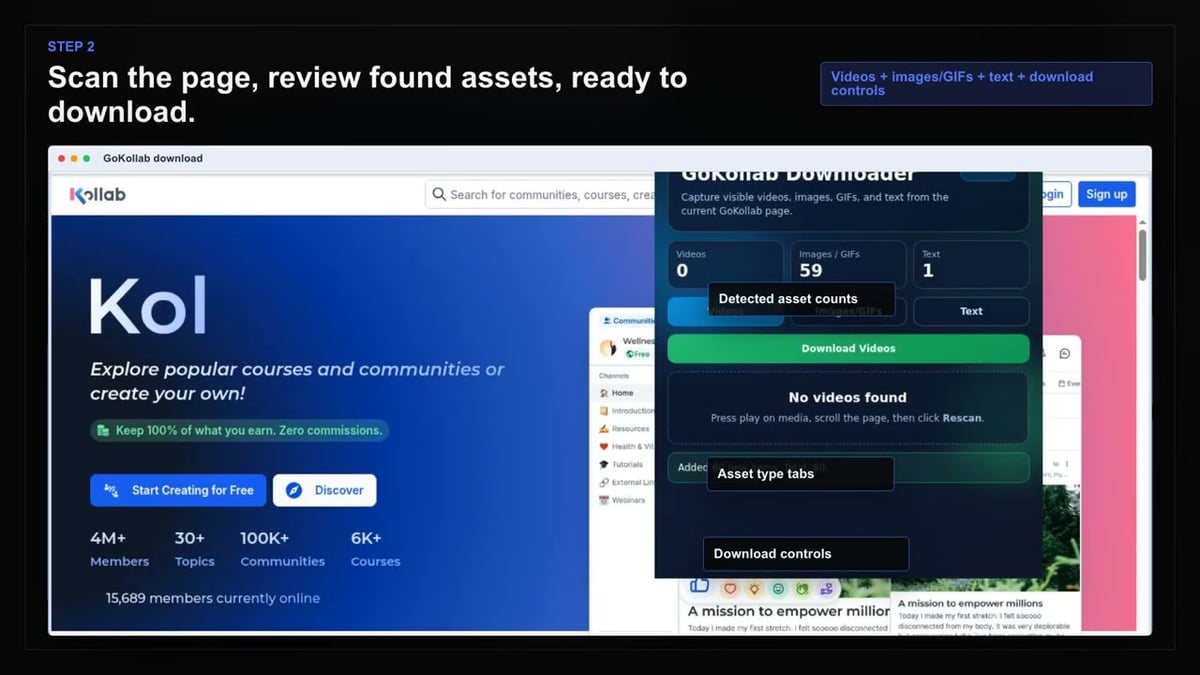
GoKollab Downloader lets you capture everything on a lesson page with a single tool. It scans the open lesson for video, images, GIFs, and text, then sorts them into separate views. You select exactly what to save, not everything on the page.
Mixed embedded providers like Loom, Vimeo, YouTube, and Wistia are handled natively. The extension uses conflict-safe filenames so repeated items don't overwrite earlier files. Progress tracking shows you how many assets are moving through the save queue.
Stay private because detection, extraction, and saving happen on your own device. Open the page, let it load, and use the extension to find available content. Download Visible action handles compatible material already loaded, making archival fast and straightforward.

Secure checkout. Start downloading in minutes.
Trusted by 40k+ SERP Apps users.
Private downloads. No ads or tracking.
Part of the SERP Apps Extensions Library.
Open the page, let the extension detect what is available, and save the file to your computer.
Go to the GoKollab page with the content you want to save and let it load normally in your browser.
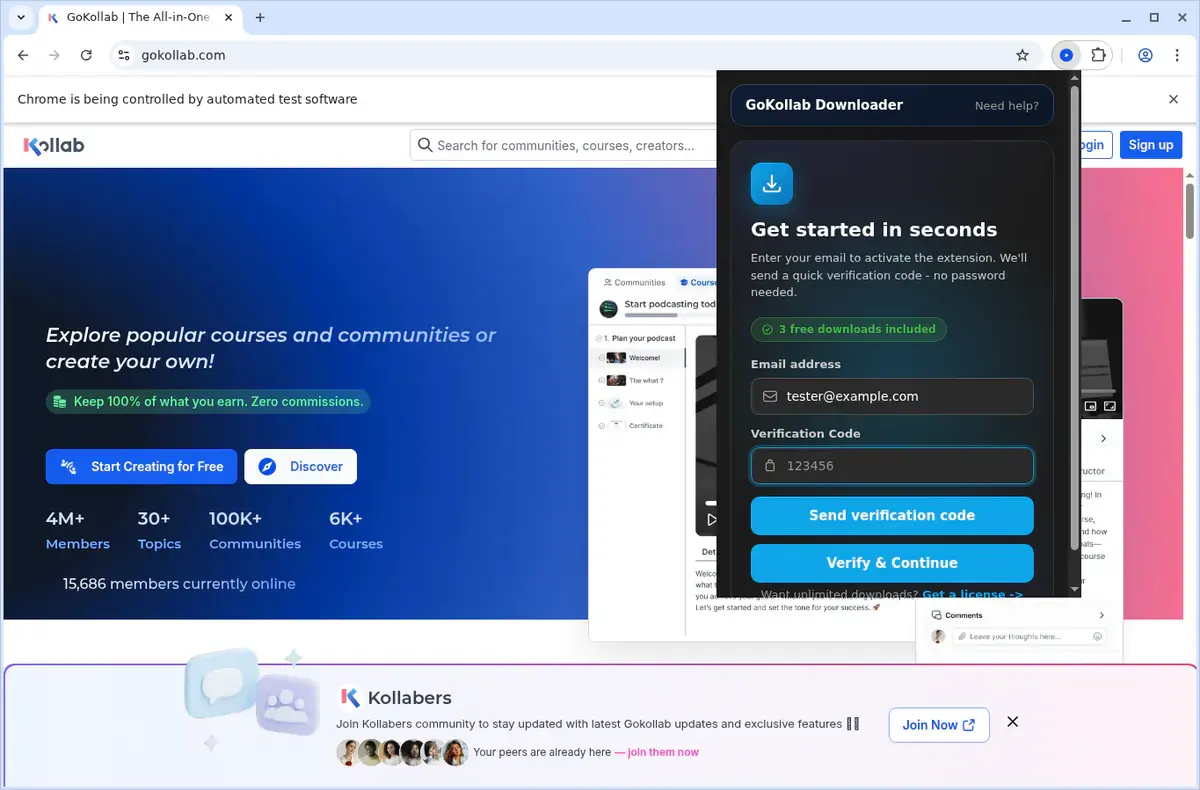
Open the extension so it can find the available content source and show the save options for the current page.
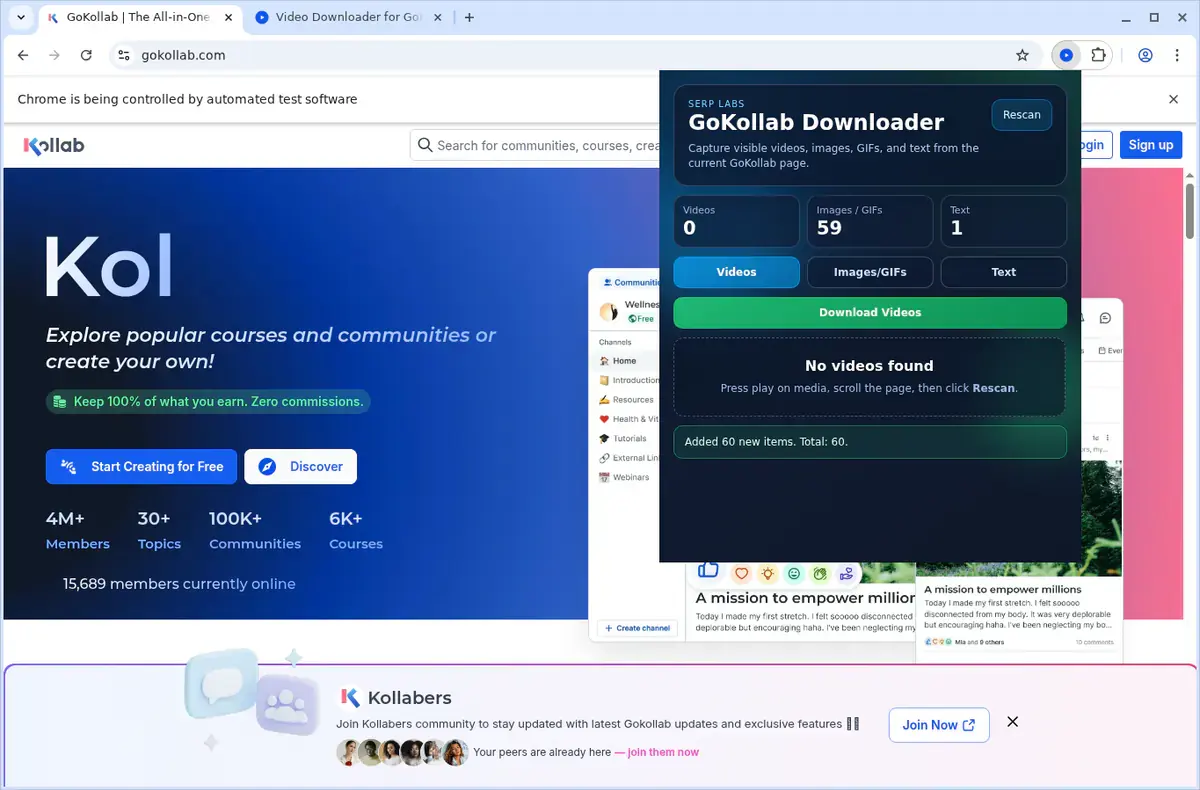
Choose the available quality or file option and save the finished file directly to your device.
Short, practical feedback from people using GoKollab Downloader in real workflows.
We use it to archive lesson pages that mix video with screenshots and written steps. The asset tabs are the main reason it saves us time.
Damon Avery
2025-02-23
Our portal uses a mix of Loom and Vimeo plus a lot of visual assets. Download Visible makes the page-level workflow much faster than saving things one by one.
Priyanka Shah
2025-03-05
I like that it only runs inside the actual portal and only where it is meant to run. That gating makes it feel more focused and less noisy.
Mateo Collins
2025-01-29
These comments and ratings were collected during our July 2026 customer survey and reviewed against support records before publication.
Core capabilities included in GoKollab Downloader.
Download GoKollab videos to watch later on your own device.
The downloader appears while you are playing a video on the platform.
You can also reach the tool through the extension’s toolbar popup.
It automatically picks up on the video you have open in the browser.
Files are transferred using your browser’s regular download system.
Keep track of the download in your browser’s built-in download list.
Completed files go into a folder specifically for GoKollab downloads.
It works with the video source the GoKollab site uses for playback.
A finished download is kept as a local video file on your machine.
Open saved videos straight from the browser’s downloads folder.
Your downloaded content remains on the device for later viewing.
The tool limits its action to the GoKollab page and video you are on.
The extension organizes your saves right on your device, while online tools often leave you guessing where the file ends up.
GoKollab Downloader
Completed files go into a GoKollab folder
Online Downloader Website
Often saves with a random filename
GoKollab Downloader
Open saved videos from the browser’s downloads folder
Online Downloader Website
May need to search a results page to locate the file
GoKollab Downloader
A finished download is a local video file on your device
Online Downloader Website
Format depends on what the external site processes
GoKollab Downloader
Your downloaded content remains on the device for later
Online Downloader Website
Requires leaving the video to copy its page link
GoKollab Downloader
Works with the source the GoKollab site uses for playback
Online Downloader Website
Can miss embedded video that needs session context
GoKollab Downloader
Limits its action to the GoKollab page you are on
Online Downloader Website
Operates on a submitted address, separate from the live page
Available on major desktop browsers and operating systems used in day-to-day workflows.
Pick the browser build you need. When a direct GitHub release is available, you can grab the ZIP there.
Open the latest GitHub release to download the Chrome build.
Firefox support is in progress and will be enabled soon.
Open the latest GitHub release to download the Edge build.
Open the latest GitHub release to download the Opera build.
Open the latest GitHub release to download the Brave build.
Open the latest GitHub release to download the Whale build.
Open the latest GitHub release to download the Yandex build.
Install from GitHub releases or your user dashboard. ZIP builds include the full desktop extension.
Every requested permission and the job it performs inside the extension.
Saves videos and other detected assets to your device and manages conflict-safe naming during auto-save.
Stores activation state, trial counters, scan results, and user preferences locally between sessions.
Checks whether the current page is a supported portal and reads the visible lesson assets from the active tab.
Keeps the download manager aligned while you move between lessons or active portal tabs.
Scans the page for supported video providers, images, GIFs, and text while applying the platform-gating logic.
Handles stream conversion in a hidden context so supported HLS-based assets can be assembled without freezing the page.
Uses your current authenticated portal session to access lesson content you are already allowed to view.
Applies request rules needed for supported media hosts and portal delivery domains so asset requests can complete correctly.
Allows access to GoKollab, compatible HighLevel hosts, supported embed providers, auth.serp.co, and api.github.com for downloads, activation, and updates.
Better to know the boundaries up front than find out after checkout.
The extension only activates on GoKollab and compatible HighLevel-powered portal pages.
You may need to press play before some video sources become detectable.
Available video quality depends on the underlying source platform.
Firefox, Safari, and mobile browsers are not the supported target here.
There is no context-menu download workflow.
Desktop notifications are not part of this product.
You must already have permission to access and download the content.
Email OTP sign-in is required to activate the free trial.
Keep exploring
Browse every category we support and jump directly into the tools that match your workflow.
23 categories are currently available.
Immediate Access
Product access begins after a successful checkout
Setup Guidance
Installation steps are provided for the supported package
Billing Shown Upfront
Review the selected billing interval before checkout
Archive whole GoKollab lesson pages instead of saving videos and supporting assets separately.
Keep offline copies of portal content for study, handoff, documentation, or field use.
Use one tool for mixed embedded providers instead of switching between separate download workflows.
Stay private because detection, extraction, and saving happen on your own device.