01
Open Thinkific
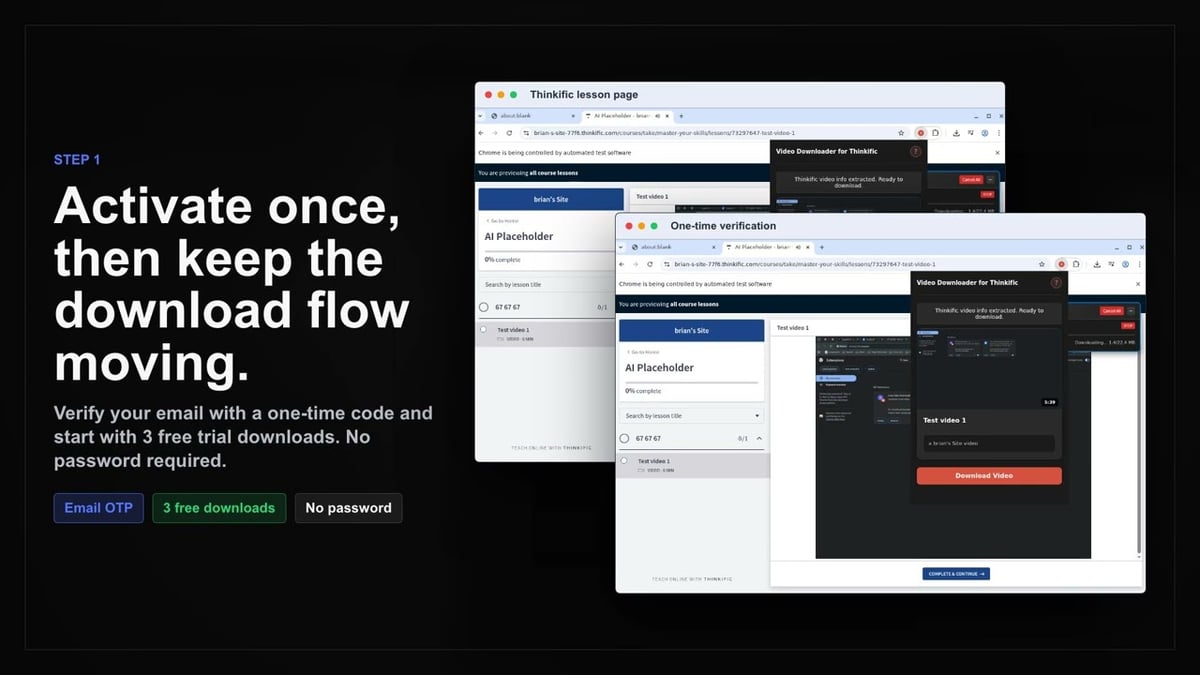
Go to the Thinkific page with the content you want to save and let it load normally in your browser.
Save Thinkific lesson videos as MP4 directly from the page you’re already viewing.
When you’re taking a Thinkific course, you don’t want to hunt for download links or juggle extra tabs. This extension works right where you are: on the lesson page itself. It identifies the video source that Thinkific’s player already provides, so you can stay focused on learning while the download processes locally.
All processing happens in your browser using your signed-in session. Nothing is uploaded. The extension respects your course access and only works with lessons you’re enrolled in. It keeps navigation and other materials separate, saving only the video portion.
Videos are saved as standard MP4 files, ready for any media player or mobile device. You’ll see clear progress for each selected lesson, and you can work through multiple lessons one at a time across supported browsers like Chrome, Edge, Brave, and Opera.

Secure checkout. Start downloading in minutes.
Trusted by 40k+ SERP Apps users.
Private downloads. No ads or tracking.
Part of the SERP Apps Extensions Library.
Open the page, let the extension detect what is available, and save the file to your computer.
Go to the Thinkific page with the content you want to save and let it load normally in your browser.
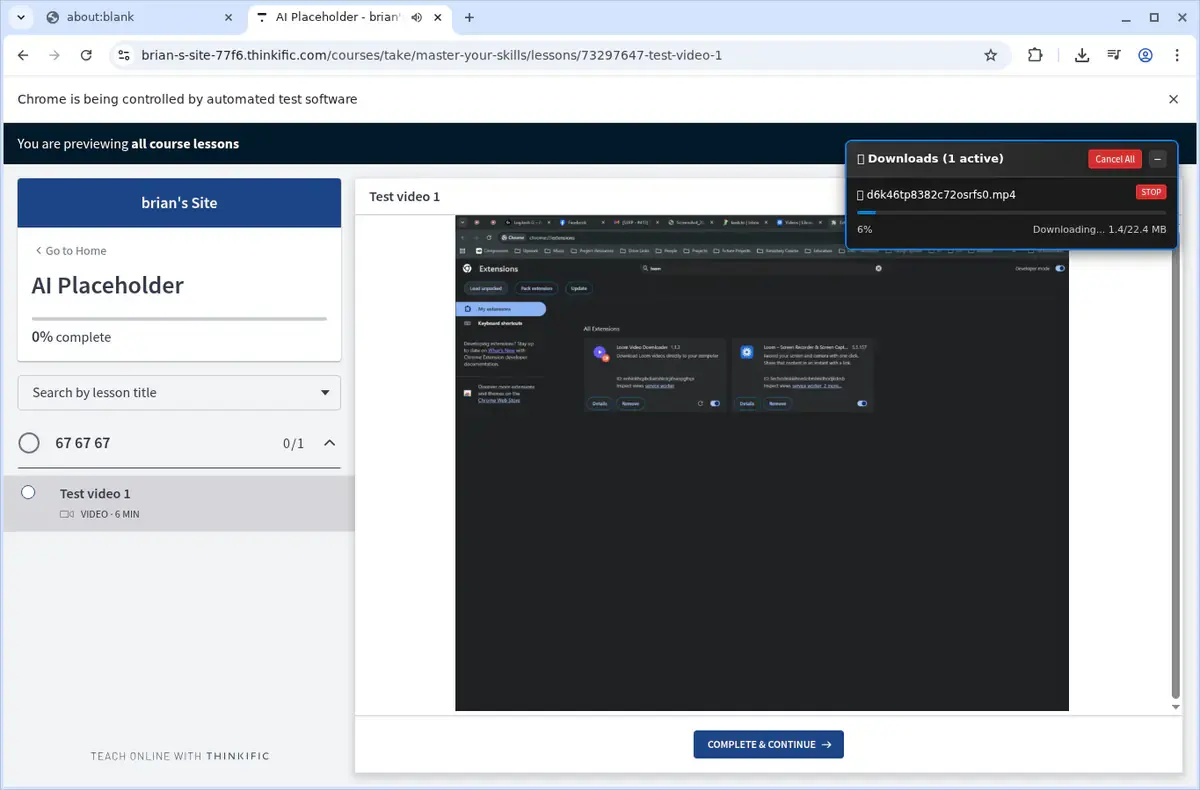
Open the extension so it can find the available content source and show the save options for the current page.
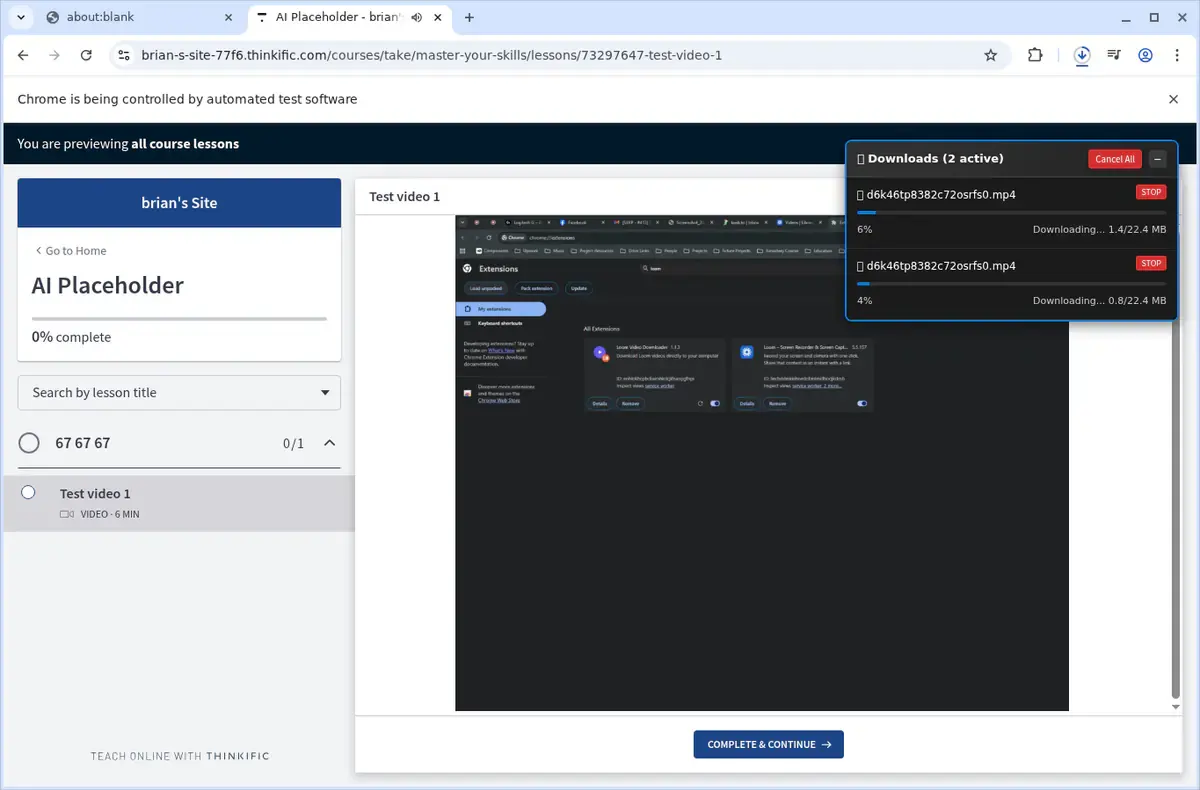
Choose the available quality or file option and save the finished file directly to your device.
Short, practical feedback from people using Thinkific Video Downloader in real workflows.
I travel frequently and wanted one lesson available for a flight. I opened the compatible Thinkific lesson, saved the video, and could study without relying on the connection.
David Park
2025-02-08
The Wistia-backed lesson I tried was detected cleanly after the player loaded. The MP4 saved through my browser and was easy to find afterward.
Natalie Grant
2025-01-19
I prefer choosing lessons individually, and the active-page workflow made it clear which class video I was saving. The completed MP4 played normally offline.
Marcus Rivera
2025-03-12
These comments and ratings were collected during our July 2026 customer survey and reviewed against support records before publication.
Core capabilities included in Thinkific Video Downloader.
Downloads a compatible video from the current Thinkific lesson page
Detects the Wistia-backed lesson flow supported by the extension
Uses the active lesson page to keep each download clearly scoped
Handles one selected Thinkific lesson video at a time
Uses the video rendition made available by the lesson player
Shows download progress for the selected lesson video
Saves the completed lesson video as an MP4 file
Works from the signed-in Thinkific session already open in your browser
Cross-browser support for Chrome, Edge, Brave, and Opera
MP4 output compatible with any media player or mobile device
Keeps course navigation and non-video lesson materials separate from the MP4 save
Local-only processing with no course data uploaded externally
Get a reliable MP4 file from your Thinkific lesson every time.
Thinkific Video Downloader
Saves the lesson video as a single MP4 file
Online Downloader Website
Output format can vary between online tools
Thinkific Video Downloader
Uses the video rendition provided by the lesson player
Online Downloader Website
A generic site may pick a lower-quality version
Thinkific Video Downloader
Shows download progress for the selected video
Online Downloader Website
Progress may not be visible on some sites
Thinkific Video Downloader
Works from your signed-in Thinkific session
Online Downloader Website
Session context is lost when you submit a page link
Thinkific Video Downloader
No advertising inside the extension
Online Downloader Website
Some free sites may show ads or redirects
Thinkific Video Downloader
Local-only processing; no course data uploaded
Online Downloader Website
Submitting a page address shares it with another service
Available on major desktop browsers and operating systems used in day-to-day workflows.
Pick the browser build you need. When a direct GitHub release is available, you can grab the ZIP there.
Open the latest GitHub release to download the Chrome build.
Open the latest GitHub release to download the Edge build.
Open the latest GitHub release to download the Opera build.
Open the latest GitHub release to download the Brave build.
Open the latest GitHub release to download the Whale build.
Open the latest GitHub release to download the Yandex build.
Install from GitHub releases or your user dashboard. ZIP builds include the full desktop extension.
Every requested permission and the job it performs inside the extension.
Saves the selected compatible lesson video as an MP4 file on your device.
Detects embedded video players on Thinkific lesson pages and injects download controls on the active tab.
Stores extension preferences and license activation locally in your browser.
Notifies you when the selected lesson download completes or encounters an error.
Better to know the boundaries up front than find out after checkout.
You must be signed in and enrolled in the Thinkific course you want to save
Video quality is limited to the resolutions provided by the lesson player
Captions, transcripts, and other course materials are not included with the video
Lessons are downloaded individually from the page currently open in the browser
Removed, inaccessible, or DRM-protected lessons are not available to the downloader
Firefox, Safari, and mobile browsers are not supported
Keep exploring
Browse every category we support and jump directly into the tools that match your workflow.
23 categories are currently available.
Immediate Access
Product access begins after a successful checkout
Setup Guidance
Installation steps are provided for the supported package
Billing Shown Upfront
Review the selected billing interval before checkout
Keep a compatible Thinkific lesson video available for offline study.
Start the save from the lesson page you are already viewing.
Use the available Wistia-backed video source without a separate converter site.
Download one selected lesson at a time with clear browser progress.