01
Open CamSoda
Go to the CamSoda page with the content you want to save and let it load normally in your browser.
Save live CamSoda shows before they vanish with simple start/stop controls, all inside your browser.
Live streams disappear the moment they end, but CamSoda Video Downloader changes that. It records the selected portion of a live show using simple start and stop controls, working entirely within your browser. You don’t need desktop apps or command-line tools—just the extension and an open tab.
Before capture, the extension lists the resolution and bitrate choices the player supplies, so you can pick the quality that suits you. It tracks elapsed time, speed, and processed segments, with an option to cancel if needed. Once finished, the stream-based media is assembled into a finished MP4.
Completed videos land in a dedicated folder with readable filenames. You get progress feedback and desktop alerts along the way, keeping you in control. Across Chrome, Edge, Firefox, and more, one extension handles it all without ever leaving the browser.

Secure checkout. Start downloading in minutes.
Trusted by 40k+ SERP Apps users.
Private downloads. No ads or tracking.
Part of the SERP Apps Extensions Library.
Open the page, let the extension detect what is available, and save the file to your computer.
Go to the CamSoda page with the content you want to save and let it load normally in your browser.
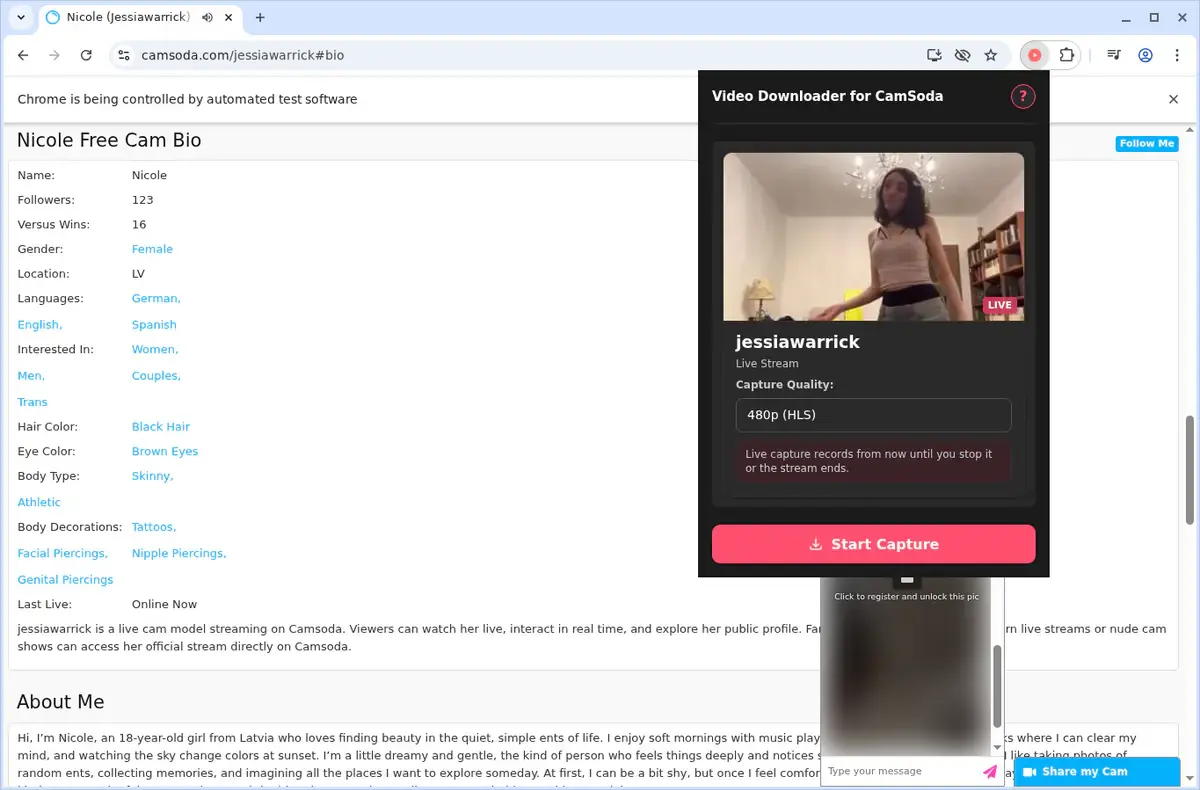
Open the extension so it can find the available content source and show the save options for the current page.
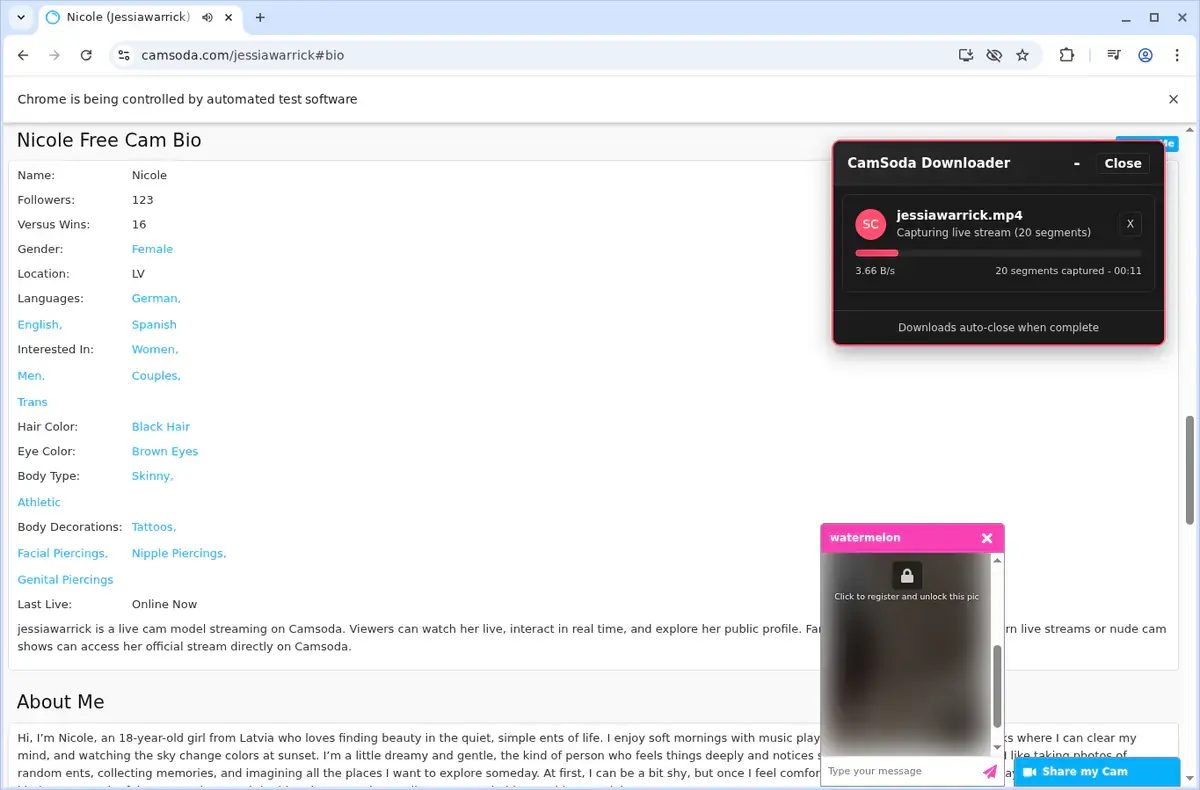
Choose the available quality or file option and save the finished file directly to your device.
Short, practical feedback from people using CamSoda Video Downloader in real workflows.
I opened a Camsoda page I could view and waited for the video to load. The file saved cleanly and played later.
Moss
2026-06-22
My connection is not reliable, so saving a local file is useful. The page I tested downloaded without a problem.
Elle
2026-06-24
The save worked after the video was ready. I found the file in my folder and it opened normally.
Pat
2026-06-20
These comments and ratings were collected during our July 2026 customer survey and reviewed against support records before publication.
Core capabilities included in CamSoda Video Downloader.
Snag CamSoda videos straight from a live broadcast for local storage.
While watching a video on CamSoda, you can immediately access the downloader.
Open the extension toolbar popup to start a download without leaving the page.
The downloader automatically targets the video currently playing in your browser.
Downloads are handled through your browser's familiar built-in download system.
Monitor each download's progress right in the browser's download list.
Files are conveniently saved into a dedicated CamSoda folder.
It works seamlessly with the video source provided by the site.
Once complete, you get a local video file ready to play.
Find your finished downloads easily in the browser's downloads folder.
Keep your favorite videos stored on your own device to watch anytime.
Stay focused on the CamSoda page and the video you're viewing.
Your downloads run through the browser’s own manager so you can follow progress without leaving the page.
CamSoda Video Downloader
Uses the browser's built-in download system
Typical Online Downloader Site
Progress tracking depends on an external website's interface
CamSoda Video Downloader
Monitor progress in the browser's download list
Typical Online Downloader Site
May need to revisit the separate site to check status
CamSoda Video Downloader
Saves files into a dedicated CamSoda folder
Typical Online Downloader Site
Often saves with a generic filename to a default location
CamSoda Video Downloader
Works directly on the current CamSoda page
Typical Online Downloader Site
Requires copying the page address to another service
CamSoda Video Downloader
Detects the broadcast you are watching
Typical Online Downloader Site
Sharing a page link can lose player or session context
CamSoda Video Downloader
Follows the download in one place without tab switching
Typical Online Downloader Site
Some sites redirect or show ads before the download starts
Available on major desktop browsers and operating systems used in day-to-day workflows.
Pick the browser build you need. When a direct GitHub release is available, you can grab the ZIP there.
Open the main product page to get the Chrome build while direct release links are being added.
Firefox support is in progress and will be enabled soon.
Open the main product page to get the Edge build while direct release links are being added.
Open the main product page to get the Opera build while direct release links are being added.
Open the main product page to get the Brave build while direct release links are being added.
Open the main product page to get the Whale build while direct release links are being added.
Open the main product page to get the Yandex build while direct release links are being added.
Install from GitHub releases or your user dashboard. ZIP builds include the full desktop extension.
Every requested permission and the job it performs inside the extension.
Writes the finished MP4 files to your device, tracks progress for the download manager, and allows resumes when network hiccups occur.
Persists OTP activation state, trial counters, quality preferences, and cached config/video metadata between sessions.
Injects player buttons, detection scripts, and context-menu entries into the CamSoda tab you are watching.
Monitors navigation and reload events so it can reattach detection logic when you switch performers or reload the player.
Reads player metadata, manifests, and React chat API payloads, then surfaces the quality list before handing streams to the download manager.
Delivers completion, error, trial, and update notices without forcing you to keep the popup open during long captures.
Adds the "Download CamSoda Stream" option to page and video contexts for faster saves.
Converts HLS playlists into MP4 and downloads large segments in a hidden document so the active tab stays responsive.
Needs access to CamSoda domains, auth.serp.co for OTP activation, and api.github.com for release checks so detection, authentication, and updates all work.
Better to know the boundaries up front than find out after checkout.
Live stream recording requires the model to be streaming and the tab to stay open while LL-HLS segments are captured.
VOD and tip-activated downloads follow the permissions you already have on CamSoda; the extension does not bypass paywalls.
Quality depends on the manifest values CamSoda exposes for that stream, so lower-bandwidth sessions remain limited by the source.
Safari and mobile browsers are not supported because they lack the required extension APIs.
Keep the source tab active while downloads are still processing; closing it can cancel the HLS converter.
OTP activation and internet access are required before you can unlock the three free downloads.

Download a compatible M3U8 or HLS video as MP4 by starting playback, confirming the detected stream, choosing a quality, and using Save As.

Download Whop videos from the lesson or post open in your browser. Find the video, scan the page, save the MP4, and check the result.
TikTok videos always contain both audio and video in a single MP4 file, but sometimes you just want the audio track — to save music, quotes, or background...
Keep exploring
Browse every category we support and jump directly into the tools that match your workflow.
23 categories are currently available.
Immediate Access
Product access begins after a successful checkout
Setup Guidance
Installation steps are provided for the supported package
Billing Shown Upfront
Review the selected billing interval before checkout
Capture ephemeral live shows before they disappear with LL-HLS recording and local auto-save.
Get MP4 files ready for editors by converting every supported stream inside the browser download manager.
Stay in control with progress feedback, desktop alerts, and organized folders without installing desktop apps.
Use a single extension across Chrome, Edge, Brave, Opera, Firefox, Whale, and Yandex without command-line tools.