How to Download a Password-Protected Vimeo Video
Download a password-protected Vimeo video after unlocking it in the player, choosing a quality, and verifying the file.
Open the complete Vimeo link, enter the password in the player, confirm the unlocked video plays, and use the SERP Vimeo Video Downloader in that same tab.
The extension does not replace the password step. Unlock the page first.
Quick passworded-video method
- Open the exact Vimeo or embedded-player link.
- Enter the password.
- Wait for the video player to appear.
- Press play.
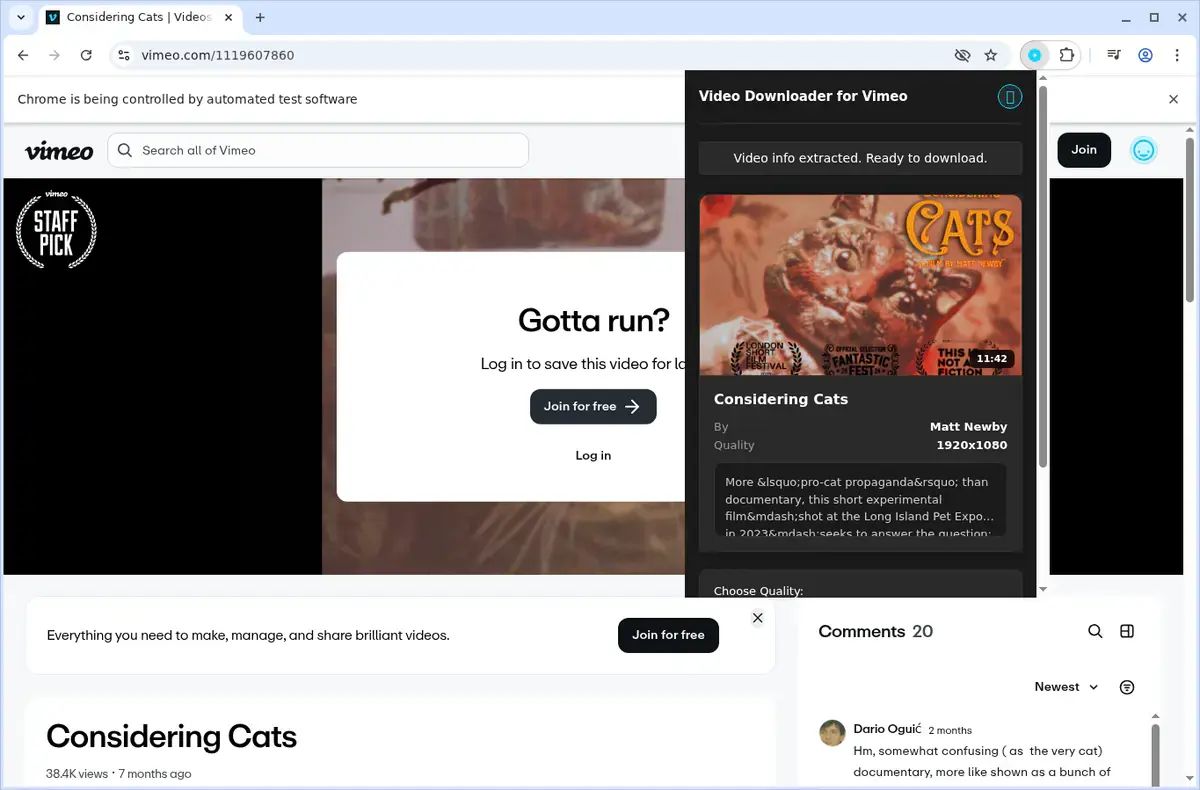
- Open the extension.
- Confirm the title or thumbnail.
- Choose a quality.
- Download and verify the file.
Password-protected is not the same as private
| Page type | What opens it |
|---|---|
| Password-protected video | Correct password |
| Private or team video | Correct Vimeo account |
| Unlisted video | Complete link |
| Review link | Current review URL and any required access |
| Portal embed | Portal login plus the player’s own access |
A page can combine more than one requirement. A client portal might require its login before showing a passworded Vimeo player.
Direct password-protected Vimeo page
Open the full link in your normal desktop browser. Enter the password, play the video, and keep the unlocked page open.
Then open the extension and verify the detected title before starting. If the page returns to the password screen, unlock it again.
Password-protected Vimeo embed
For a player inside another website, enter the password inside that embedded player. Do not leave the containing page once it plays.
Use the extension on the outer page. The embedded Vimeo guide covers pages with several players.
Passworded review link
Open the exact review URL and enter the password. Confirm the version or cut name because review links can change as clients upload revisions.
Use Vimeo’s own download option if the review owner enabled it. Otherwise, play the current cut and use the extension.
Why copying the locked link elsewhere fails
A copied URL identifies the page but does not prove the password was entered. A separate website usually sees the locked version.
The extension works in the same browser tab where you completed the password step and started playback.
Choose quality
The extension shows the resolutions Vimeo provides for the unlocked video. Choose 1080p for detailed review, 720p for general reference, or 4K when it appears and the project needs it.
The available choices come from the upload; the password does not change quality.
Keep the page open
Do not close or relock the source page while a long download is active. Watch progress and avoid starting duplicate jobs.
After completion, check the file before the passworded link expires or the review is replaced.
Troubleshooting passworded videos
Password is accepted but no video is found
Press play, wait for movement, close the popup, and open it again.
The page returns to the password prompt
Reload it and enter the password again. Confirm browser privacy settings are not clearing the page immediately.
Wrong video appears
Close other Vimeo tabs and pause additional players on the same page.
Download stops
Keep the unlocked page open, reduce active downloads, and try one lower quality.
File is incomplete
Delete it, unlock the page again, and make one fresh attempt.
Use the Vimeo troubleshooting guide if a short public control video also fails.
Verify the file
| Check | Good result |
|---|---|
| Version | Correct title or review cut |
| Beginning | Starts normally |
| Sound | Present and in sync |
| Seeking | Middle and end are reachable |
| Duration | Close to the unlocked player |
| Ending | Complete |
Unlock the player first, then open the SERP Vimeo Video Downloader in that same tab so the selected file stays tied to the page you verified.
Related products
Tools that directly support the workflow covered in this article.
Save password-protected and private Vimeo videos directly to your computer for offline editing and reference.
Read more
View all posts →Jul 30, 2026
How to Download Vimeo Videos From Any Page Type
Download Vimeo videos from public pages, private links, password-protected players, embeds, and review pages.
Read articleJul 30, 2026
How to Download YouTube Videos to Your Computer
Download YouTube videos from the watch page, choose an available quality, and save the completed file to your computer.
Read articleOct 23, 2025
How to Download TikTok Videos to Your Computer
Download TikTok videos on a PC or Mac with a browser extension that adds a download button directly to supported TikTok video posts.
Read article