How to Download Fansly Videos, Images and Profiles
Download Fansly videos as MP4, save images, GIFs and post text, and bulk save a subscribed creator's vault albums and posts to a folder you choose.
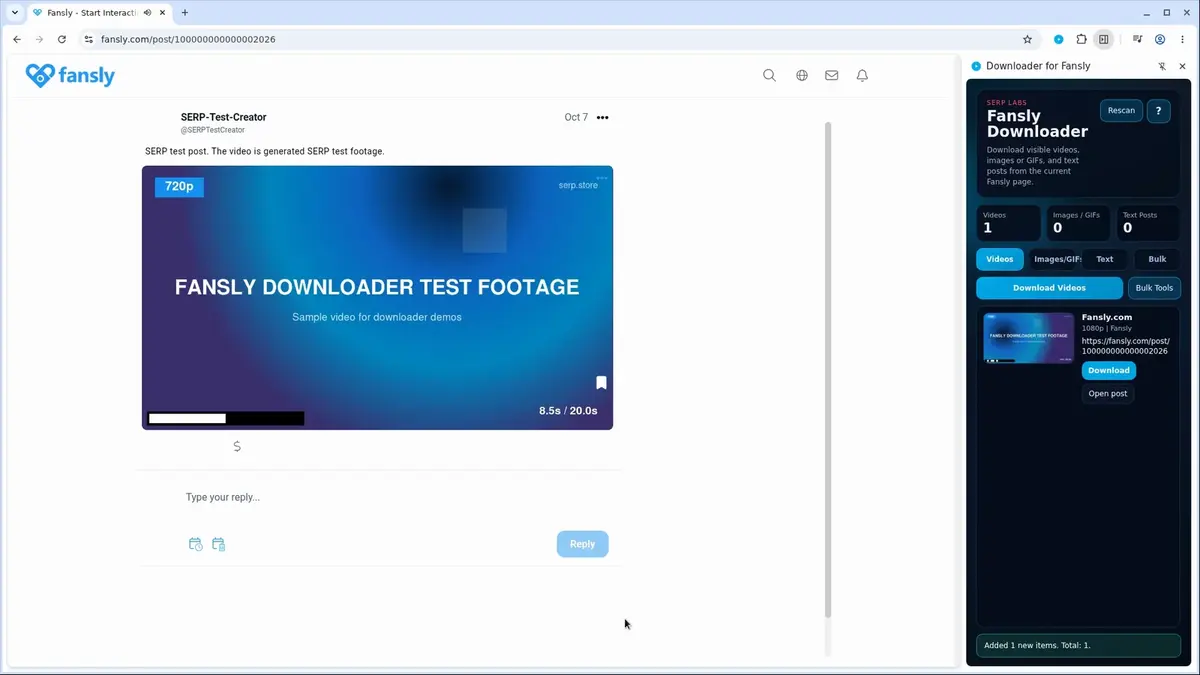
To download from Fansly, sign in, open the post and use Fansly Downloader: click the download button on the media, or open the extension's side panel and click Download next to the video, image or text you want. To save a whole creator you subscribe to, use the Bulk tab.
Fansly Downloader works only with posts your account can already view. It does not unlock paid posts or other subscription tiers.
Steps
- Sign in to Fansly and open a post or creator page
- Save one item from the post or the side panel
- Use the Bulk tab to save a whole creator
Step 1: Sign in to Fansly and open a post or creator page
- Sign in to the Fansly account that subscribes to the creator.
- Open the post, or the creator's page, and let it load.
- If a video does not play on Fansly itself, fix that first. The extension can only save what the page can show you.
Keep this Fansly tab open while you download. The extension uses it for your signed-in session.
Step 2: Save one item from the post or the side panel
There are two ways to save a single item.
From the post. Fansly Downloader adds a download button to media inside Fansly posts. Click it to save that item.
From the side panel. Open the extension. The side panel lists what it found on the page in separate tabs:
| Tab | What it lists | Saved as |
|---|---|---|
| Videos | Videos in the loaded posts, with their quality, such as 1080p | MP4 |
| Images/GIFs | Photos and GIFs in the loaded posts | Original image or GIF format |
| Text | The text of the loaded posts | Plain TXT file |
Pick a tab and click Download next to the item.
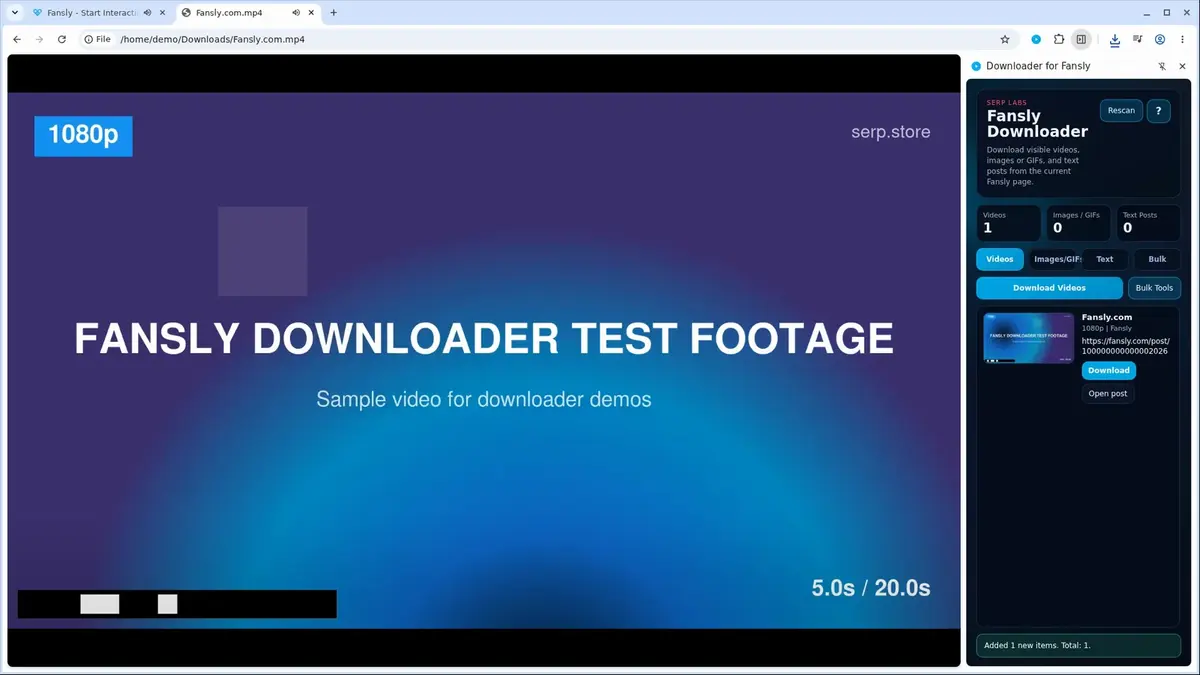
Single downloads go to your browser's normal Downloads folder. Open the file before closing Fansly and check that it plays all the way through.
Step 3: Use the Bulk tab to save a whole creator
To download a Fansly profile instead of single posts:
- Open the extension and select the Bulk tab.
- It lists the creators you subscribe to. Type in the search box to find one, then select them. Use Refresh if the list is empty.
- Choose All media, Photos only or Videos only.
- Click Start. Bulk Saver opens.
- In Bulk Saver, click Choose Folder and pick where the files should go. If the run stops and asks for a folder, choose one and click Start again.
The extension first collects the creator's media from their vault albums. If Fansly returns nothing there, it collects from the creator's posts instead.
A large creator takes a while. Leave the Fansly tab and Bulk Saver open until the run finishes. A file that comes out empty or incomplete is reported as failed instead of being saved.
Choosing a folder needs a Chromium browser that supports folder access, such as Chrome or Edge.
When a video will not download
The video says it is DRM-protected
A small number of Fansly videos use real DRM copy protection. Those cannot be saved, and the extension shows a message instead of saving a broken file. Other videos, including ones that Fansly streams in pieces, are converted to a normal MP4.
The side panel shows nothing
Let the post finish loading, play the video once, and open the side panel again. If you installed or updated the extension while Fansly was already open, reload the Fansly page.
The Bulk tab lists no creators
The list shows only creators your signed-in account subscribes to. Check that you are signed in to the right Fansly account in this browser, then click Refresh.
The video is lower quality than expected
The extension saves the best version Fansly serves for that video. It cannot make a video sharper than that.
Start with one post
Install Fansly Downloader, save one video from a post to check the result, then use the Bulk tab when you are ready to save a whole creator.
Related products
Tools that directly support the workflow covered in this article.
Generate dozens of on-brand images in one batch run, cutting your production time from hours to minutes.
Save Fansly videos, images, GIFs, text posts and whole creator libraries from one extension.
Save Fansly live streams in real time so you can rewatch your favorite broadcasts anytime.
Read more
View all posts →Download JustFor.Fans videos as MP4, save photo galleries and text posts, and bulk save a gay creator's playlist to a folder you choose.
Read articleSave a video from a Skool classroom lesson, community post, course module, or About page as an MP4.
Read articleOct 22, 2025
How to Download MP4 Videos
File Extensions: .mp4, .m4v, .m4a MIME Types: video/mp4, audio/mp4 Container: Multimedia container Codecs: H.264, H.265, AAC, and many others
Read article