01
Open SDC
Go to the SDC page with the content you want to save and let it load normally in your browser.
Save SDC videos right from the page you're watching, without switching tabs or interrupting your session.
You’re already watching a great SDC video—why leave the page to save it? SDC Video Downloader works right where you are, detecting the media source and presenting a download option. No extra tabs, no copy-pasting URLs, no interruptions. It’s a seamless, in-the-moment way to grab what you want.
Once the video is detected, you can choose from available quality options, and the file saves directly to a dedicated folder. The extension uses page details to create recognizable file names, making your collection easier to browse later. Everything happens within your normal desktop browser flow.
From start to finish, the process fits naturally into your viewing routine. You stay on the same page, the same session, and the same simple workflow. It’s built for personal offline viewing and cleaner organization—exactly how a browser-based downloader should work.

Secure checkout. Start downloading in minutes.
Trusted by 40k+ SERP Apps users.
Private downloads. No ads or tracking.
Part of the SERP Apps Extensions Library.
Open the page, let the extension detect what is available, and save the file to your computer.
Go to the SDC page with the content you want to save and let it load normally in your browser.
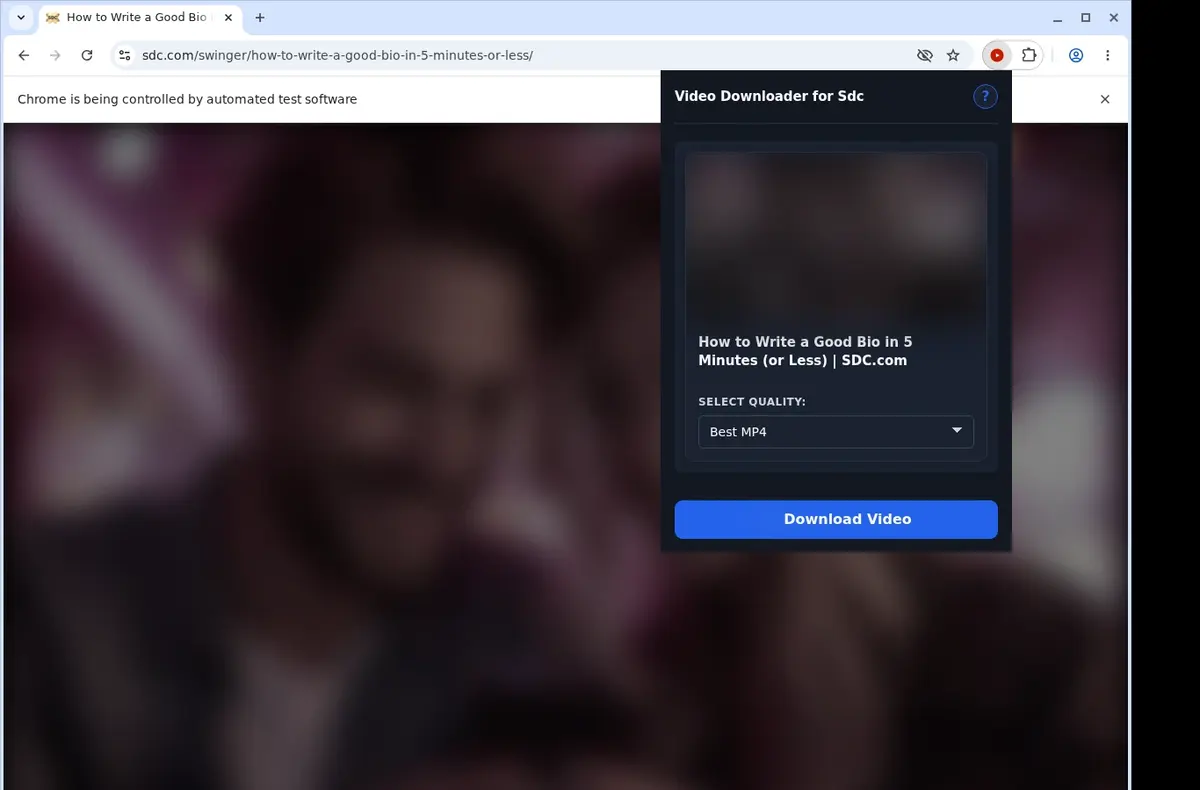
Open the extension so it can find the available video source and show the download option for the current page.
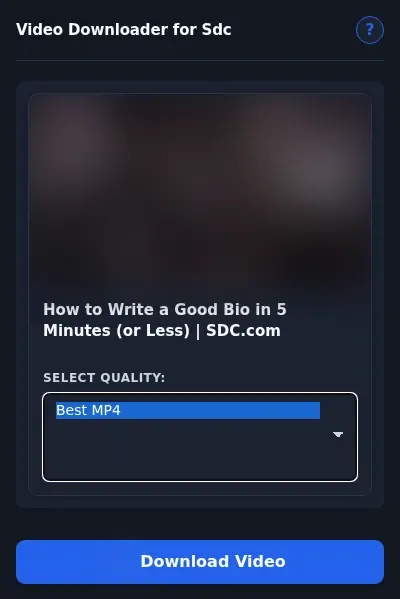
Open the format menu, pick the available file option you want, and save the finished video directly to your device.
Core capabilities included in SDC Video Downloader.
Save videos from SDC straight to your own device.
Click the download button visible on the video page to start.
Reach the extension popup in the toolbar as a quick entry.
One video download happens at any given moment.
It works through your browser’s usual download function.
Watch progress update inside the browser’s download list.
Automatically place each file into the Sdc folder.
Captures the MP4 resource tied to the video you're viewing on SDC.
The file stays MP4 all the way to your drive.
Open the finished MP4 with a player that supports it.
Keep what you grabbed on your device for later watching.
It stays centered on the SDC page and the open video.
Monitor downloads in your browser’s list instead of depending on another website.
SDC Extension
Uses the browser’s own download function
Web Downloader Site
Progress depends on the external site’s interface
SDC Extension
Progress updates appear in the browser’s download list
Web Downloader Site
Must return to the online tool to check status
SDC Extension
Files save directly to your device
Web Downloader Site
May need extra steps on a results page
SDC Extension
No reliance on a separate site’s availability
Web Downloader Site
Can’t download if the online tool is unreachable
SDC Extension
MP4 stays MP4 all the way to your drive
Web Downloader Site
Output format can vary with different web tools
SDC Extension
Open the finished MP4 with a compatible player
Web Downloader Site
Downloaded file may need renaming or conversion
Available on major desktop browsers and operating systems used in day-to-day workflows.
Pick the browser build you need. When a direct GitHub release is available, you can grab the ZIP there.
Open the main product page to get the Chrome build while direct release links are being added.
Open the main product page to get the Edge build while direct release links are being added.
Open the main product page to get the Opera build while direct release links are being added.
Open the main product page to get the Brave build while direct release links are being added.
Open the main product page to get the Whale build while direct release links are being added.
Open the main product page to get the Yandex build while direct release links are being added.
Install from GitHub releases or your user dashboard. ZIP builds include the full desktop extension.
Every requested permission and the job it performs inside the extension.
Starts the browser download for a compatible direct MP4 selected by the user.
Checks the SDC tab the user has selected for video options.
Observes available direct media requests from the active SDC page.
Allows direct-media detection on HTTPS SDC pages.
Better to know the boundaries up front than find out after checkout.
A compatible direct MP4 must be exposed to the active browser session
Profile, community, and guest routes are not automatically compatible
Playback may be needed before the page exposes the media source
Available file quality depends on the source the page exposes
Use is limited to media you are authorized to save
Firefox, Safari, and mobile browsers are not supported

Download Whop videos from the lesson or post open in your browser. Find the video, scan the page, save the MP4, and check the result.

Download YouTube videos from the watch page, choose an available quality, and save the completed file to your computer.
TikTok videos always contain both audio and video in a single MP4 file, but sometimes you just want the audio track — to save music, quotes, or background...
Keep exploring
Browse every category we support and jump directly into the tools that match your workflow.
23 categories are currently available.
Immediate Access
Product access begins after a successful checkout
Setup Guidance
Installation steps are provided for the supported package
Billing Shown Upfront
Review the selected billing interval before checkout
Save SDC favorites without leaving your browser tab
Keep downloaded videos easier to search, sort, and revisit
Use one repeatable workflow instead of messy manual steps